Shopify Markets: Sell Internationally with One Store
Shopify Markets explained: setting up markets, subfolders and hreflang, currency and rounding, TWINT and iDEAL, duties via DDP, plus EU OSS and Swiss VAT.

Jason Spizert
Updated on October 21, 2026
Published 9 min read
The short answer
Shopify Markets is the area in the Shopify admin that lets a single store sell to several countries: with its own currency, language, URL and local payment methods per market. Setting up regional markets is possible on all Shopify plans at no extra cost; to take payments in multiple currencies, you need Shopify Payments or Adyen. Markets calculates taxes in checkout and, if you want, duties, but you have to report and pay them yourself. For a seller based in the EU, that means the One-Stop-Shop for EU sales and, in Switzerland, your own registration from CHF 100,000 in revenue from low-value shipments.
What is Shopify Markets, and do you need a second store for it?
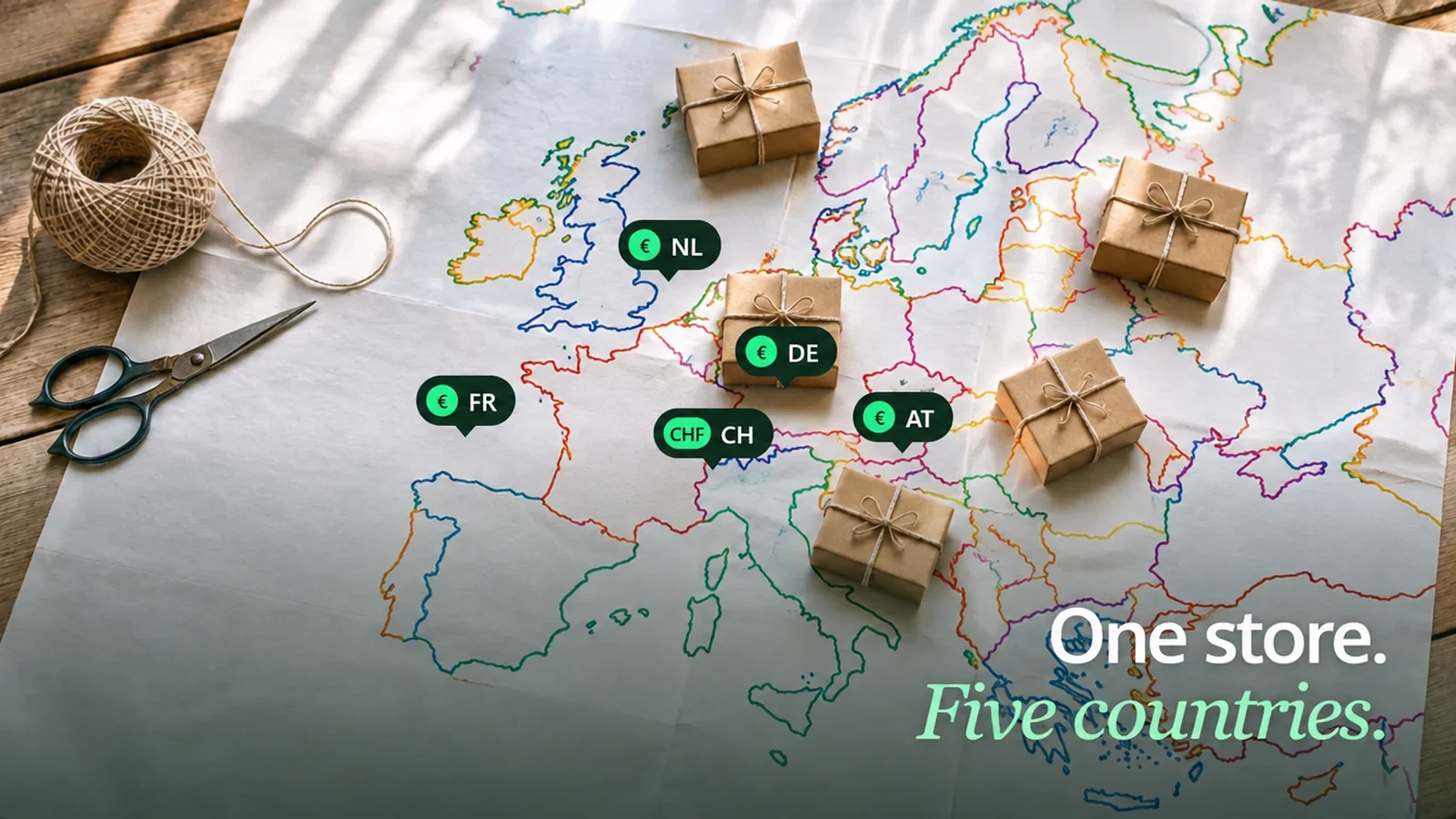
No, you don't need a second store. In Shopify, a market is a group of customers, usually one country or several. For each market, you define what differs from your home market: currency, language, URL, products, prices, payment methods.
The common assumption is different. Many people expect one store per country or per currency.
“One downside I see with Shopify is that with 4 brands and 4 currencies, I need 16 stores in total”E-commerce decision maker, Shopware forum, December 2024 (translated from German)
For currencies, that's not true: they are a setting per market. For brands, it's a real decision, more on that at the end. The examples in this guide use a store based in Germany that sells to Austria, Switzerland, the Netherlands and France. The schematic shows how it all fits together day to day.
 one admin, one product catalog, one theme







 Shipping and dutiesNo duties within the EU. To Switzerland: customs declaration and import tax, paid by you (DDP) or on delivery (DAP).
Markets controls what customers see and how they pay. What happens to the parcel and the tax afterward is up to you.
How do you set up a new market?
In the admin under Markets, in seven steps. Shopify checks two requirements first: a country can only be activated if there's a shipping rate for it. And you can only charge in multiple currencies with Shopify Payments or Adyen; otherwise, customers end up paying in your store currency.
The core features are the same on every plan. The differences are in what you can customize per market:
| Feature per market | Basic | Grow | Advanced | Plus |
|---|---|---|---|---|
| Markets, currency, domain, language, duties | yes | yes | yes | yes |
| Languages in the store | up to 20 | up to 20 | up to 20 | up to 30 |
| Customize theme per market | no | no | yes | yes |
| Checkout and account pages per market | no | no | yes | yes |
| Business entities per market | no | no | no | yes |
You need business entities if, for example, a Swiss subsidiary should run the Swiss market. That only works on Plus. When switching to Plus pays off is covered on our Shopify Plus agency page.
Subfolder, subdomain or country domain?
For most stores, subfolders, like yourstore.de/de-ch. Shopify recommends them itself: little effort, and the new country version inherits the strength your main domain already has on Google. A separate .ch domain sends the strongest local signal but starts from zero.
Two details from the Shopify Help Center save work later. Language-only folders like /fr only exist in your home market; all other markets combine language and country, for example /fr-ch. And if you delete a market with a subfolder, you create 404 pages until redirects are in place. How to move URLs cleanly is covered in How to migrate your store without losing rankings.
The translation itself runs through Shopify's Translate & Adapt app, manually or with AI. Checkout is already pre-translated into 33 languages. Things that can't be translated include tags, product images, collection filters and forms from Shopify Forms. If you use text in images, you need separate images per language.
How does Shopify convert prices into another currency?
Automatically at the current rate, plus a fee, plus rounding. Shopify takes your price, multiplies it by the mid-market rate and adds the conversion fee. For Shopify Payments outside the US, that's 2%. Shopify then rounds to the usual price ending for that currency if you turn rounding on.
Three consequences you should know beforehand. The fee is included in the price Swiss customers see. You don't get it back on a refund, and the rate is then different from the one at purchase.
Shopify only offers fixed rates per market with Managed Markets, which isn't available in Germany. Alternatively, you set fixed prices per country with catalogs. What other fees come up each month is worked out in What Shopify really costs.
Which payment methods do you need in which country?
The ones that are common in that country, and Shopify shows them to you. As soon as a market contains a matching country, the local method appears on its payments card: iDEAL | Wero for the Netherlands, TWINT for Switzerland, eps for Austria, Bancontact for Belgium. Each has its own requirements.
Address in the Netherlands, checkout in EUR, NL as an active market.Prices in CHF, shipping to Switzerland, Swiss VAT shown in checkout. Not for subscriptions. Cards, Apple Pay, Google Pay and PayPal Express run in the local currency.
The requirements aren't a formality. If you want TWINT, you need CHF prices and Swiss VAT in checkout. That ties the payment method directly to the tax question in the next section.
“I made really good money through Switzerland, now I sometimes see over 20 abandoned checkouts a day, 16 to 17 of them only Switzerland, can someone tell me why”Store owner, Shopify Community, October 2022 (translated from German)
If abandonment clusters in one country, check three places first: currency, payment methods and costs in checkout, meaning shipping and possible duties. How to narrow down abandonment systematically is shown in Shopify traffic but no sales.
Duties and taxes: what does Shopify calculate, and what stays with you?
Shopify calculates, you report. Shopify itself states that you can automate tax collection but can't remit or file taxes through Shopify. This section is information, not tax advice, and it describes the rules for a seller based in Germany. What applies to your store is something to clarify with your tax advisor.
The limit of Markets
Markets shows prices including tax and collects duties if you want. Nobody files the return with your tax office, the BZSt or the ESTV for you.
Paraphrased from the Shopify Help Center “Taxes in the EU”, accessed October 21, 2026
Duties only affect Switzerland among the five sample markets; there are none within the EU. You decide who pays them: the customer on delivery (DAP) or you through checkout (DDP). For DDP through Shopify, every product needs an HS code and a country of origin.
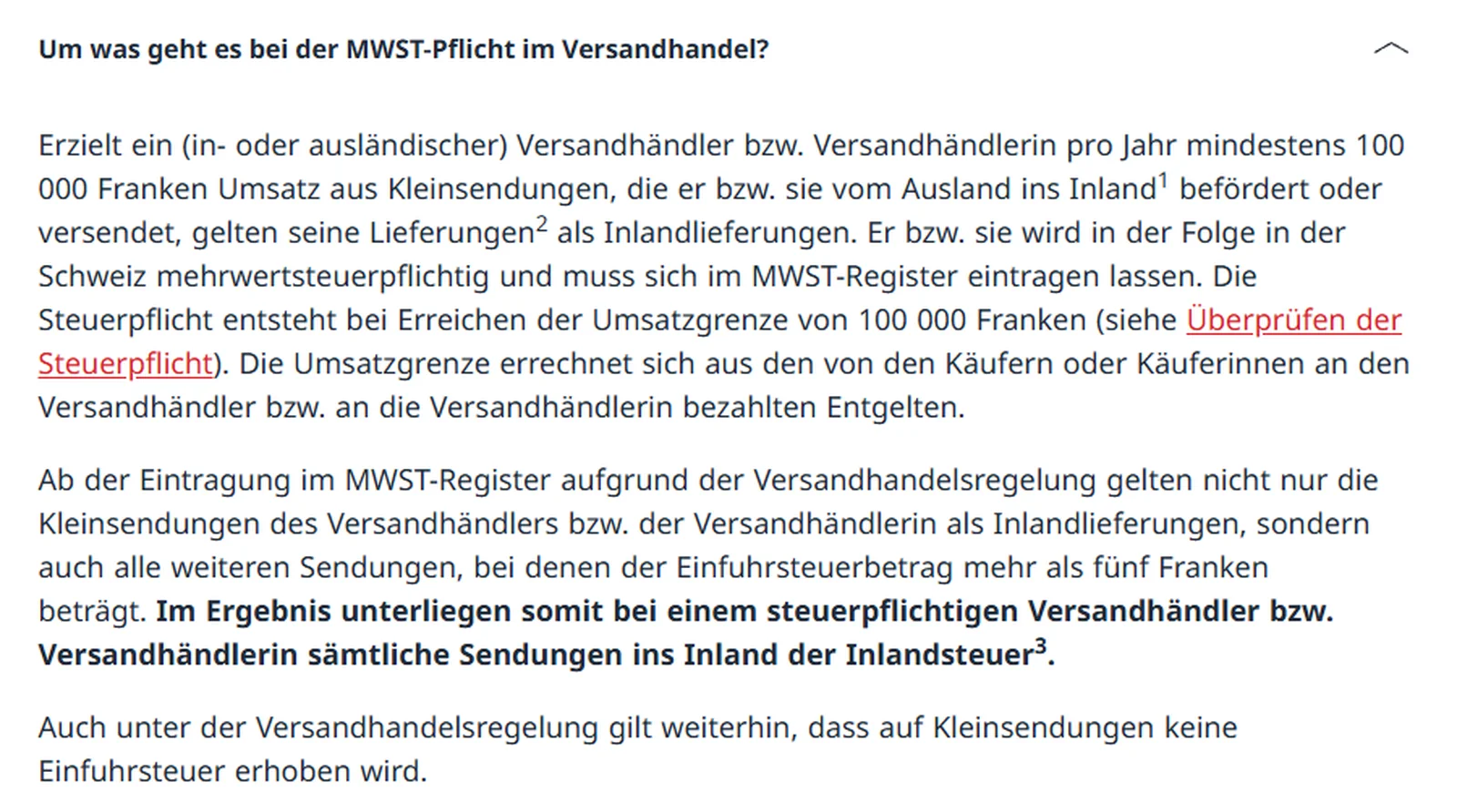
Taxes depend on two thresholds. In the EU, once distance sales to consumers in other EU countries exceed €10,000, the destination country's VAT applies (in Germany, Section 3c of the VAT Act); a German seller reports it quarterly through the One-Stop-Shop at the BZSt. In Switzerland, you become liable for VAT from CHF 100,000 a year in revenue from low-value shipments, with a tax representative in Switzerland. The standard rate there is 8.1%.
When isn't Shopify Markets enough?
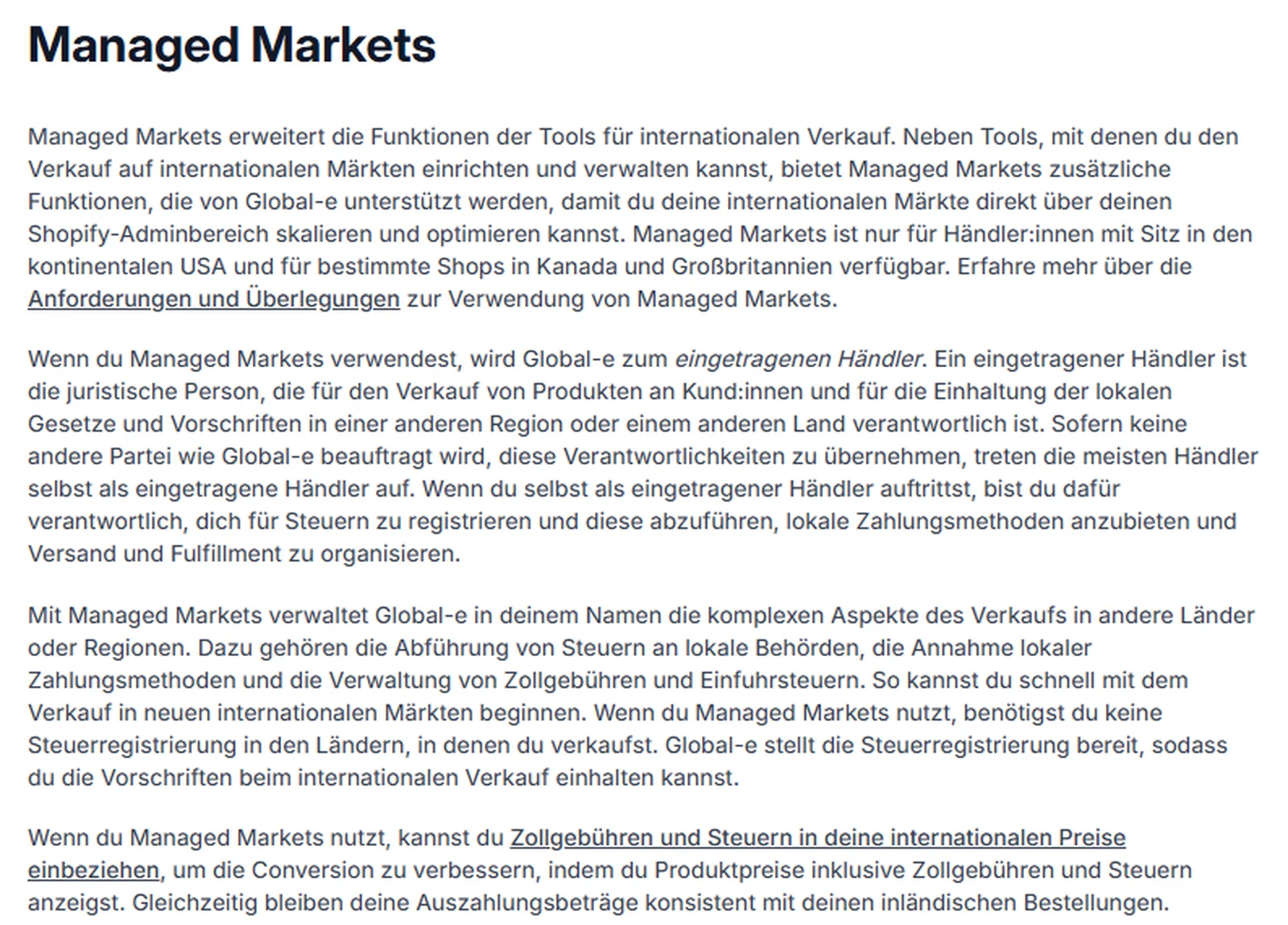
When you want to hand off the obligations in the destination country. That's exactly what Managed Markets does: Global-e becomes the merchant of record and takes over tax registration, remittance and duties. For stores in Germany, though, that's not an option.
That leaves one store with Markets as the normal case for merchants from the DACH region (Germany, Austria, Switzerland). Multiple stores are the exception, but they exist. What each plan can do for international selling and how we set up a new country with you is covered on our Shopify international expansion page.
One store with Markets is enough if …
- one brand sells to several countries
- one team runs all markets
- product range and prices only vary by country, not fundamentally
- one company sells, or Plus with business entities is in play
Consider multiple stores if …
- several brands should appear separately
- local teams run their markets independently
- a country subsidiary without Plus should sell on its own
- processes per country differ so much that one admin can't handle them
Shopify itself names the exception with local teams: then it can be better to sell through multiple stores and get paid out in different currencies.

Who this guide doesn't apply to: stores based in Austria or Switzerland, where other tax rules apply, and merchants shipping goods from a warehouse outside the EU. If you are moving from another system with several country stores, plan your markets right away as part of your Shopify migration. And if you first want to know whether your store is ready for the next country, get in touch.
Frequently asked questions
Setting up regional markets is included on all Shopify plans at no extra cost. Costs come up in operation: a 2% conversion fee when Shopify Payments charges in a currency other than your payout currency, and 0.85% per order when Shopify calculates duties in checkout.
No. One store can serve several countries with their own currency, language and URL. Multiple stores make more sense when local teams run their markets independently or different brands should appear separately.
Yes, for every market with its own domain, subdomain or subfolder, including x-default. If all markets run on the same URL, no hreflang tags are created. You can turn the automation off if a theme or app sets the tags itself.
Yes, through Shopify Payments, even with an account in Germany. Requirements are prices in CHF, shipping to Switzerland and Swiss VAT shown in checkout. TWINT doesn't work for subscription products.
For sellers based in the EU: once your distance sales to consumers in other EU countries exceed €10,000 a year, the destination country's VAT applies. The One-Stop-Shop (in Germany at the BZSt) lets you report this tax centrally instead of registering in every country. Whether and from when it applies to you is something to clarify with your tax advisor.
No, not as of October 2026. According to the Shopify Help Center, Managed Markets is only available to merchants based in the continental US and to certain stores in Canada and the UK.
Discounts and gift cards apply across markets. Fixed amounts, for example €10 off, are converted into the market's currency in checkout. You can also limit discounts to specific markets.