Shopify Subscriptions: How to Sell Subscriptions in Your Store (Shopify Subscriptions, Recharge, Seal & Co.)
Shopify subscriptions: who they pay off for, what Shopify Subscriptions, Recharge, Seal and Loop cost, and why Shopify Payments and cancellation matter.

Jason Spizert
Updated on October 21, 2026
Published 8 min read
The short answer
On Shopify, you sell subscriptions through a subscription app. Shopify Subscriptions is free; alternatives like Seal, Loop or Recharge cost between $0 and $499 per month according to the Shopify App Store, some plus a fee per charge (as of October 21, 2026). Shopify names Shopify Payments as the payment provider for this, others only with restrictions. A subscription only pays off for products that get used up regularly and whose margin covers the discount and shipping per delivery. And if you sell subscriptions online to consumers in Germany, you need a cancellation button under § 312k BGB.
Who is a subscription worth it for in a Shopify store?
For stores with products that get used up and reordered on a fixed rhythm: coffee, pet food, supplements, personal care. There, the subscription takes reordering off the customer's plate. For everything else, a subscription is usually a discount that brings nothing back.
Two founders have explained publicly why they don't offer a subscription despite demand. In both cases, it isn't the tech that stops them:
“So why haven't we offered a Duschbrocken subscription yet? It's the logistics costs. […] loyal customers usually don't forget to reorder their Duschbrocken.”Founder of Duschbrocken, LinkedIn, April 2023 (translated from German)
“everyone needs it, but the intervals are just too irregular. So our loyal customers always stock up themselves 😉 We're going to try bundles.”Founder of DELINIO (organic olive oil), LinkedIn comment, April 2023 (translated from German)
Remember
A subscription doesn't sell a second product. It takes reordering off the customer's plate. If they never forget to reorder, you're only paying for the discount.
How does a subscription work on Shopify?
The customer picks “Subscribe” on the product page and pays once in the normal Shopify checkout. The subscription app saves this as a subscription contract with rhythm and price. On the due date, it triggers the charge, and according to Shopify's developer docs, a successful charge creates a new order.


 The payment method is stored with Shopify so later deliveries can be charged without a new checkout.
 Shopify Subscriptions
 Recharge
 Seal Subscriptions
 LoopStores the subscription contract with rhythm and price and triggers the charge on schedule.

 Like any other order: label, shipping, tracking.Emails
 KlaviyoAnnounce the next delivery, flag a failed payment.Customer accountpauseskipcancelCustomers manage their subscription themselves, without emailing support.
For you, that means shipping, invoicing and bookkeeping run like any other order. Only three things are new. Customers need a customer account where they manage their subscription themselves, you need emails around the next delivery, and someone has to keep an eye on failed payments.
What can Shopify Subscriptions do, and what does it cost?
Shopify Subscriptions is Shopify's own subscription app and free according to the App Store. It has been around since January 2024 and has 3.7 out of 5 stars from 865 reviews (as of October 21, 2026).
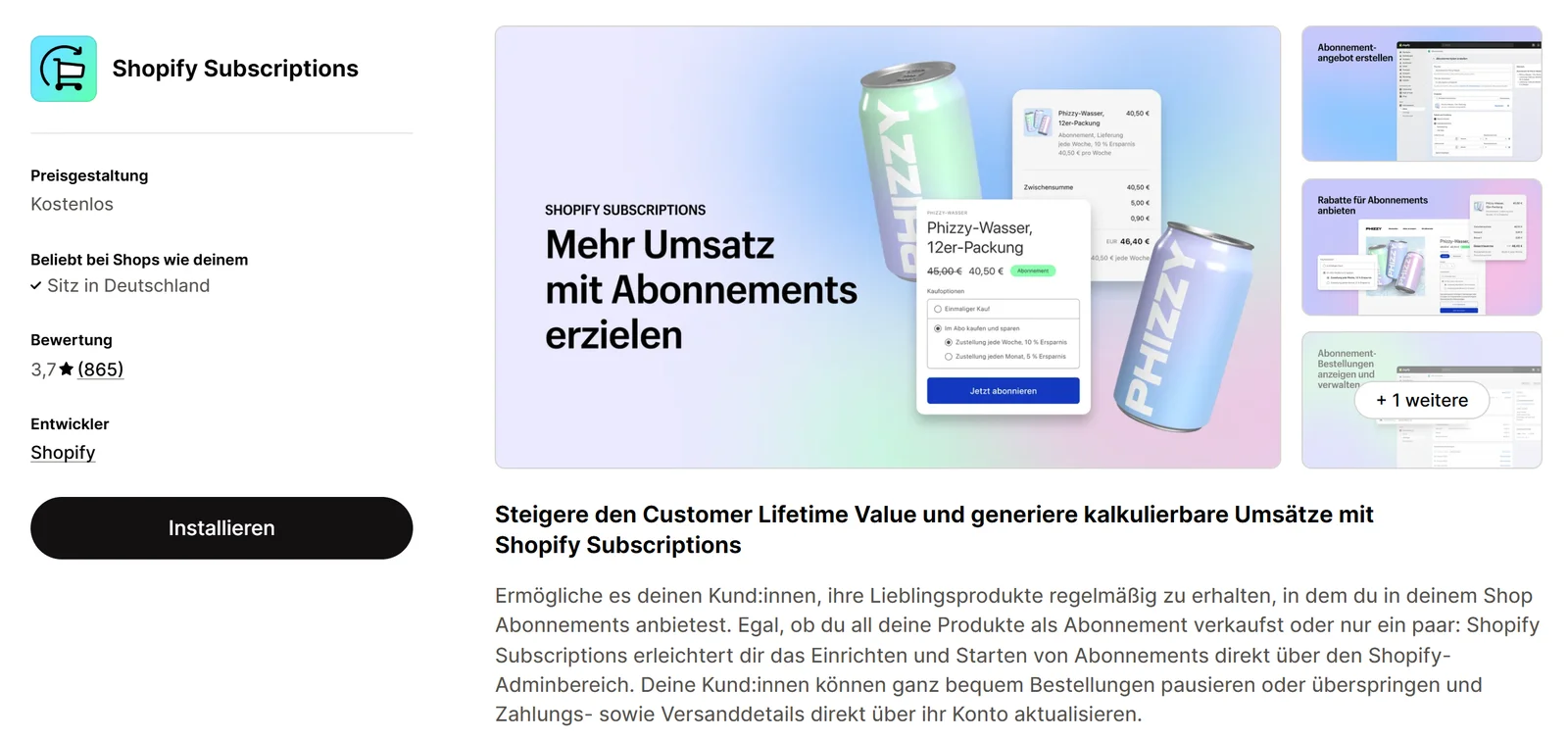
The app itself costs nothing, but payments do: your plan's fees apply. What those are is covered in How much does Shopify cost? According to the Shopify Help Center, additional fees may apply depending on your setup.
Recharge, Seal, Loop: what do the alternatives cost?
The alternatives cost between $0 and $499 per month, and some also take a share of every charge. In return, they bring more: bundles in subscriptions, custom cancellation flows with a retention offer, recovery of failed payments and ready-made Klaviyo integrations.
| App | Price per month per App Store | Fee per charge | Rating | App language |
|---|---|---|---|---|
| Shopify Subscriptions | free | no app fee | 3.7 (865) | incl. German |
| Seal Subscriptions | $0 up to 50 subscriptions, $5.95 up to 100, $9.95 up to 250, $24.95 up to 500 | 0% | 4.9 (3,147) | incl. German |
| Loop | $0 up to 50 active subscriptions, Starter $99, Pro $399 | Starter 1.0%, Pro 0.75% | 5.0 (789) | English |
| Recharge | $25 (first 50 subscribers without fee), Starter $99, Plus $499 | Starter 1.49% + $0.19, Plus 1.34% + $0.19 | 4.8 (3,140) | English |
A sample calculation shows what that means per month. Percentages look small, but they grow with every subscription:
Shopify Subscriptionsfree$0no app feeSeal SubscriptionsLegend, up to 500 subscriptions$24.95$24.95 flat, 0% per chargeLoopStarter$189$99 + 1.0% of $9,000RechargeStarter$290.10$99 + 1.49% of $9,000 + 300 × $0.19Start with the app that solves today's problem, not the one that fits in three years. How to choose apps in general and get rid of them again is covered in Shopify apps: which ones your store really needs. Moving later is possible: according to the App Store, Shopify Subscriptions imports existing subscription contracts.
Do you need Shopify Payments for subscriptions?
Usually yes. The general Shopify Help Center article on payments says that if you sell subscription products, you need Shopify Payments as your main payment provider. The help page on subscription products also lists PayPal Express, Authorize.net, Adyen and Stripe, the last two with restrictions.
 PaymentsThe intended main path. Customers can subscribe with card, Shop Pay, Apple Pay, Google Pay or PayPal, in some stores only with Shop Pay. Apple Pay for subscriptions only with Visa and Mastercard.Possible as a wallet. Without Shopify Payments active, Shopify charges its additional fee on these payments.
Important: subscription customers mainly pay by card and wallets. Payment methods that work in your normal checkout don't automatically show up for subscriptions. Check this before launch with a real test order.
Selling to consumers in Germany: cancellation button and contract terms
If you sell subscriptions to consumers in Germany, two rules from the German Civil Code (BGB) affect almost every product subscription. This is information on the legal situation, not legal advice; for your terms and subscription flow, ask a lawyer specializing in IT law.
The cancellation button is set out in § 312k BGB. It has applied since July 1, 2022, including to contracts concluded before that date (Art. 229 § 60 EGBGB). It covers contracts that consumers can conclude on a website and that create an ongoing paid service. In short: a clearly labeled button (“Verträge hier kündigen”, cancel contracts here) that is always available, a confirmation page asking who is canceling which contract and as of when, a second button (“jetzt kündigen”, cancel now) and an immediate confirmation to the customer in text form. If it's missing, customers can cancel such a contract at any time without notice (§ 312k (6) BGB). Check before launch whether the cancellation in your subscription app's customer account meets these requirements.
For contract terms, § 309 no. 9 BGB applies to contracts from March 1, 2022, and covers clauses in your terms: an initial term of at most two years, tacit renewal only for an indefinite period with at most one month's notice, and a notice period of at most one month before the end of the initial term. Many store subscriptions can be canceled at any time without a minimum term, so these limits hardly apply.
How can you tell if your subscription is working?
By the cancellation rate, not by the number of new subscriptions. A subscription canceled after the second delivery has mostly cost you discount. Four metrics are enough to start:
With the cancellation rate and the cart value, you can calculate what a subscriber is worth over their lifetime. The formula is in How to calculate customer lifetime value, in the section on subscription models.

Most cancellations happen between two deliveries, which is exactly where emails do their work: announcing the next delivery, suggesting a skip instead of a cancellation, a reminder after a failed payment. How we set up these flows in Klaviyo is on Shopify email marketing.
Launch a subscription if …
- your product gets used up regularly
- your margin covers the discount and shipping per delivery
- you use Shopify Payments or can use it
- cancellation and the customer account are tested before launch
Wait if …
- customers reorder at very different intervals
- your regulars reliably reorder anyway
- nobody is handling cancellations and failed payments yet
Who this doesn't apply to: fashion, furniture, gifts. There, loyalty comes from your brand and your range. If you want to know where your store is losing buyers today, book the free call below.
Frequently asked questions
Yes, with a subscription app. Shopify has its own free app, Shopify Subscriptions. There are also apps like Recharge, Seal Subscriptions or Loop with more features and their own fees.
According to the Shopify App Store, the app is free (as of October 21, 2026). The normal payment fees of your Shopify plan apply, and according to the Shopify Help Center, additional fees may apply depending on your setup.
Usually yes. The Shopify Help Center names Shopify Payments as the main payment provider for subscription products. PayPal Express, Authorize.net, Adyen and Stripe are also supported, but the last two only with approval or for selected merchants.
For a test with a few products, Shopify Subscriptions is often enough because it's free. If you need bundles in subscriptions, custom cancellation flows or deep Klaviyo integration, look at Seal, Loop or Recharge. Run the fees with your own number of subscriptions.
If you sell to consumers in Germany and they can sign up on your website, § 312k of the German Civil Code (BGB) has required a cancellation button with a confirmation page since July 1, 2022. If it's missing, customers can cancel at any time without notice. This is information, not legal advice.
Products that get used up regularly and are reordered at similar intervals, such as coffee, pet food, supplements or personal care products. It also matters that your margin covers the subscription discount and the shipping of every single delivery.