Shopify Apps: Which Ones Your Store Really Needs (and Which It Doesn't)
Which Shopify apps a store really needs: a core stack by task, what Shopify does for free, what apps cost and how to clear out the ones you don't use.

Jason Spizert
Updated on October 21, 2026
Published 6 min read
The short answer
A Shopify store needs one app per task that Shopify doesn't solve itself. In Germany, that usually means legal texts and a cookie banner, invoices, reviews, email and shipping, plus translation if you sell in several languages. Much of the rest Shopify now does for free: translation with Translate & Adapt, forms with Shopify Forms, automations with Flow, sets with Bundles, filters and recommendations with Search & Discovery. Every extra app costs money each month, can slow your store down and needs maintenance.
Why don't more apps bring more revenue?
Because an app delivers a feature, not a reason to buy. Ten apps in your first few months are ten features. Whether more people buy is decided by your offer, on the product page and in checkout.
The reflex is still understandable. The App Store has a solution with stars and a free trial for every problem, and the next app is installed faster than the cause is found.
“I've tried everything already. Free shipping, cart app, everything.”Founder of a fashion brand, Shopify Community (translated from German)
“I'm very disappointed at how much gets eaten up by the apps we must install just for a basic modern website.”Store owner, Shopify Community
What apps add up to on top of your plan and payment fees is calculated in How much does Shopify cost?
What can Shopify do on its own by now?
More than most “best apps” lists show. Shopify has added its own apps, which according to the App Store cost nothing. Before installing any third-party app, check whether one of these is enough:

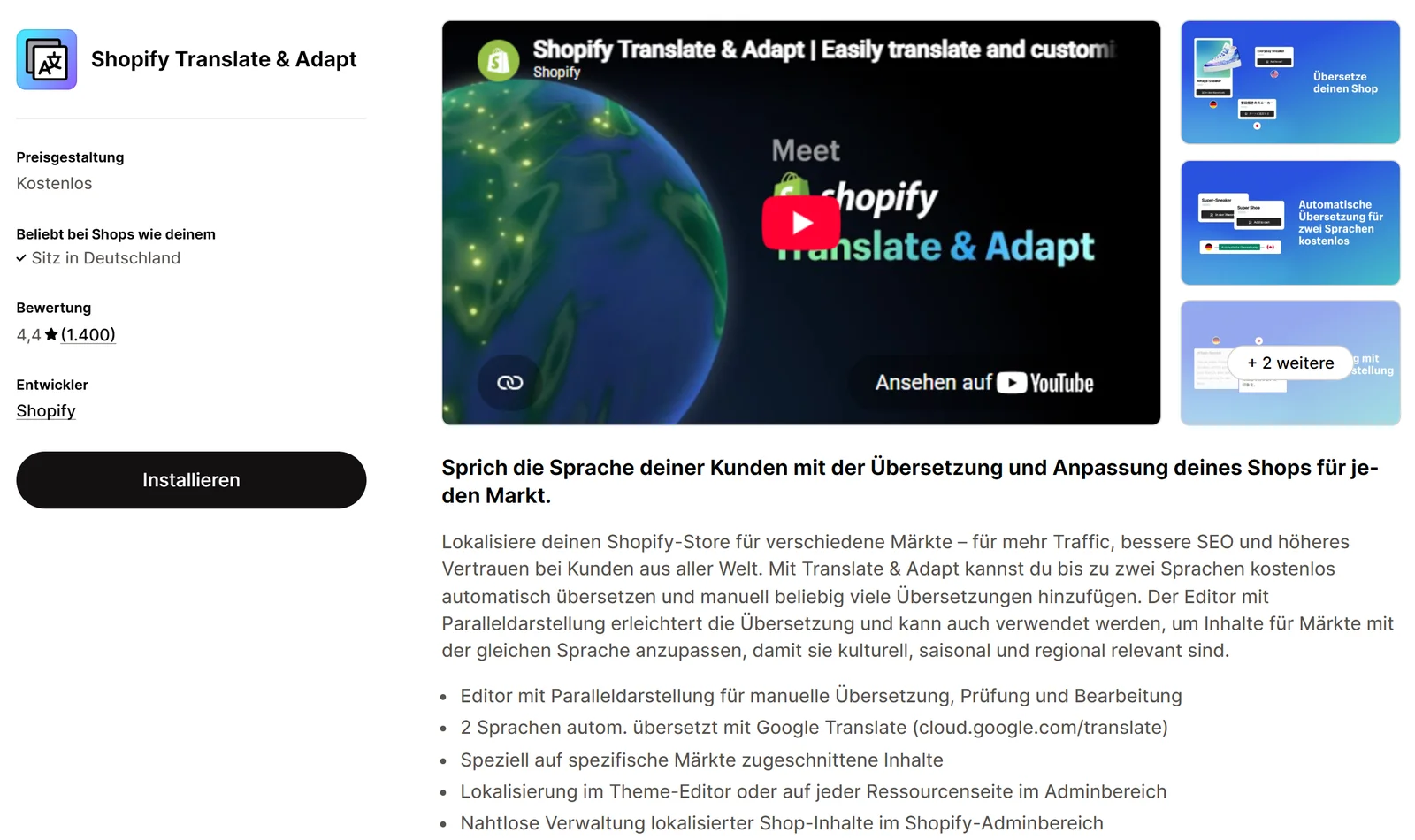
To be honest, Shopify's apps aren't always the most popular. Search & Discovery sits at 2.6 out of 5 stars (511 reviews), Bundles at 2.8 (570). Bundles, for example, can't do mix-and-match sets. If that's exactly what you need, a third-party app is the right call. But then you know what you're paying for.
Which apps does a Shopify store really need?
A core stack organized by task, not by a best-of list. For each task, first what Shopify brings itself, then well-known apps with their entry price, checked in the App Store on October 21, 2026, in USD.
 IT-Recht AGB-Schnittstelle$9.90
 Cookiebot CMPfree, from $6
 Sufiofrom $7
 Judge.mefree or $15
 Okendofrom $19
 Klaviyofrom $20
 Langifyfrom $17.50
 Weglotfrom $17
 Sendcloudfree, Lite $40
| Task | Check first: Shopify itself | Well-known apps (as of October 21, 2026) |
|---|---|---|
| Legal texts | pages for policies, you provide the texts | IT-Recht AGB-Schnittstelle: $9.90 per month |
| Cookie banner | built-in banner for Shopify tools | Cookiebot CMP by Usercentrics: free, from $6 |
| Invoices | no invoicing app available from Shopify | Sufio: from $7 (15 invoices); Order Printer Pro: free up to 50 orders, then from $10 |
| Reviews | no built-in solution | Judge.me: free or $15; Okendo: free up to 50 orders, from $19 |
| Shopify Messaging: 10,000 emails per month free | Klaviyo: free up to 250 contacts, from $20 | |
| Translation | Translate & Adapt: free | Langify: from $17.50; Weglot: from $17 (1 language, 10,000 words) |
| Shipping | shipping settings and shipping zones | Sendcloud: free, Lite $40 plus a fee per label |
| Payment methods | Shopify Payments, PayPal in your settings | no app needed |
| Newsletter forms | Shopify Forms | the forms in your email tool |
| Automations | Shopify Flow | only once Flow hits its limits |
| Sets and bundles | Shopify Bundles: fixed sets, multipacks | only for mix-and-match sets |
| Filters and recommendations | Search & Discovery | only with a large catalog |
Three rows where stores often get stuck:
- Legal texts and cookie banners are not a matter of taste. Whether Shopify's banner is enough depends on your scripts, for example for Google or Meta. The legal-text app in the table is built for German law. This is general guidance, not legal advice; a lawyer specializing in e-commerce law can give you a binding answer.
- Invoices are what young stores add most often. According to the App Store, Sufio can also create e-invoices in the ZUGFeRD format, which matters for business customers in Germany. Connecting your bookkeeping takes more than an invoicing app.
- Email drives revenue directly: welcome and abandoned cart emails run without you lifting a finger. Shopify Messaging is enough to start; for segments based on purchase behavior, you switch to Klaviyo. More on our page about Shopify email marketing.
 MatrixifyImport and export of large data sets, for example during a migration. Free up to 10 products per file, from $20.
 ZigpollPost-purchase surveys. Free up to 50 responses per month, from $39.
Matrixify shows its strength when you move from another platform. How to do that without losing rankings is covered in How to migrate your store without losing rankings.
How much does an app stack cost per month?
With eight apps, quickly around $150 per month before your store grows in any meaningful way. The example is one possible setup for a young store, calculated with the plans from the App Store, not advice on specific vendors.
Legal textsIT-Recht AGB-Schnittstelle, terms package$9.90Cookie bannerCookiebot CMP, Essential$6InvoicesSufio, Growth (50 invoices)$19ReviewsJudge.me, Awesome$15EmailKlaviyo, Email (251 to 500 contacts)$20ShippingSendcloud, Lite (plus a fee per label)$40Translationreplaced by: Translate & Adapt, free$17.50 Page builderreplaced by: theme sections are enough$24
With everything installed, that's $151.40 per month. Without the page builder and with Translate & Adapt instead of Langify, it's $109.90, $498 less per year, without losing any feature the store actually uses.
More important than the total is how it grows: in steps. Sufio's Growth plan costs $19 for 50 invoices; from the 51st, you need the $49 plan. Klaviyo bills by contacts.
Which apps don't you need?
Anything that solves a task twice, or solves a task you don't have.
If the theme itself is the problem, a redesign helps more than a page builder on top. What a theme can and can't do is covered in Shopify theme vs. custom design. And if you use PageFly for tests, find out first when an A/B test is worth it.
“Is there a way to find out why?? Is there an APP???”Store owner, Shopify Community (translated from German)
The honest answer: first find the point where visitors drop off, then the cause. How to do that is covered in Shopify traffic but no sales. If you don't want to do it alone, that's our job in conversion optimization.
How do you clean out your apps the right way?
In seven steps, and the most important one comes after uninstalling: according to Shopify, uninstalling does not automatically remove an app's code from your theme.

If you want a second opinion on your app list, that's exactly what we can go through together on a free call.
Bottom line
Fewer apps don't make a store better. But they give you back money, load time and attention for what actually sells.
Frequently asked questions
As many as there are tasks Shopify doesn't solve itself. For a young store selling in Germany, that usually means legal texts, a cookie banner, invoices, reviews, email and shipping, plus translation if you sell in several languages. One app per task is enough.
Shopify's own apps: according to the App Store, Translate & Adapt, Shopify Forms, Shopify Flow, Shopify Bundles and Search & Discovery cost nothing. Shopify Messaging, formerly Shopify Email, is free up to 10,000 emails per month. Many third-party apps also have a free plan with limits.
They can. Shopify itself says that too many apps loading files into your store can hurt performance. So measure every app by whether it brings in more than it costs in load time.
Future charges stop, though you may still pay for the current billing period. If the app bills outside Shopify, you cancel there separately. Also, according to Shopify, code the app wrote into your theme often stays and has to be removed by hand.
In practice yes, if you sell in Germany and want clean invoice PDFs for customers and bookkeeping. According to the App Store, Sufio starts at $7 per month for 15 invoices, and Order Printer Pro is free up to 50 orders per month. An invoicing app alone is not enough to connect to DATEV, the accounting software most German accountants use.
No. You set up payment methods in your settings under Payments. Shopify Payments is available in Germany, Austria and Switzerland, and according to Shopify, PayPal Express Checkout is included automatically.
Usually not if your theme has good sections. PageFly is more worthwhile if you constantly build and test landing pages for campaigns. According to the App Store, the Builder plan costs $24 per month for five published pages or sections.
Start with Translate & Adapt: it's made by Shopify, free and translates up to two languages automatically. Langify (from $17.50 per month) or Weglot (from $17) are worth it if you need more languages or more tools for maintenance.