Cart Abandonment in Your Online Store: Find the Causes and Reduce It
Cart abandonment in Shopify: find your abandonment rate in the report, check the reasons per Baymard, set up reminder emails with consent and test changes.

Jason Spizert
Updated on October 21, 2026
Published 9 min read
The short answer
Cart abandonment means someone adds something to the cart and doesn't buy. On average, that happens with 70.22% of all carts, according to the average of 50 studies collected by the Baymard Institute. The most common solvable reasons are extra costs that are too high, such as shipping, long delivery times, lack of trust and forced account creation. Reducing it means finding the step in Shopify where your store loses buyers, checking one cause, testing the change and winning back abandoned checkouts by email when you have consent.
Lots of abandoned carts feel like a defect. Usually they aren't. A large part is simply normal shopping behavior, and the rest has causes you can find.
“I've already tried everything. Free shipping, a cart app, all of it.”Founder of a fashion brand, Shopify Community, November 2024
That's exactly the trap: trying tactics before it's clear where and why the purchase breaks off. Here's how to find your abandonment rate in Shopify, which reasons are backed by data, what to check and how to run the reminder email the right way.
What is the difference between cart abandonment and checkout abandonment?
Cart abandonment starts earlier. It counts everyone who adds something to the cart and doesn't buy. Checkout abandonment only counts those who have already started checkout. Shopify calls this an “abandoned checkout”: the email address has been entered, and no payment follows for ten minutes.
The difference decides what you can do. Someone who never entered checkout usually leaves no address behind. A reminder only reaches them if your email tool already knows them. Someone who entered their address at checkout is reachable.
| Term | Starts when | Where in Shopify | Reachable by email |
|---|---|---|---|
| Cart abandonment | item in cart, no purchase | "Conversion rate breakdown" report | only if the person is known, e.g. Klaviyo "Added to Cart" |
| Abandoned checkout | email entered, no payment for more than 10 minutes | Orders, "Abandoned checkouts" | yes, with Shopify Messaging or Klaviyo |
| Blocked checkout | Shopify Payments classifies the attempt as risky | "Blocked" view of abandoned checkouts | no, Shopify sends no reminder |
How do you find your abandonment rate in Shopify?
In the “Conversion rate breakdown” report under Analytics, Reports. It shows four steps: all sessions, sessions with a cart, sessions that reached checkout and sessions that completed checkout.
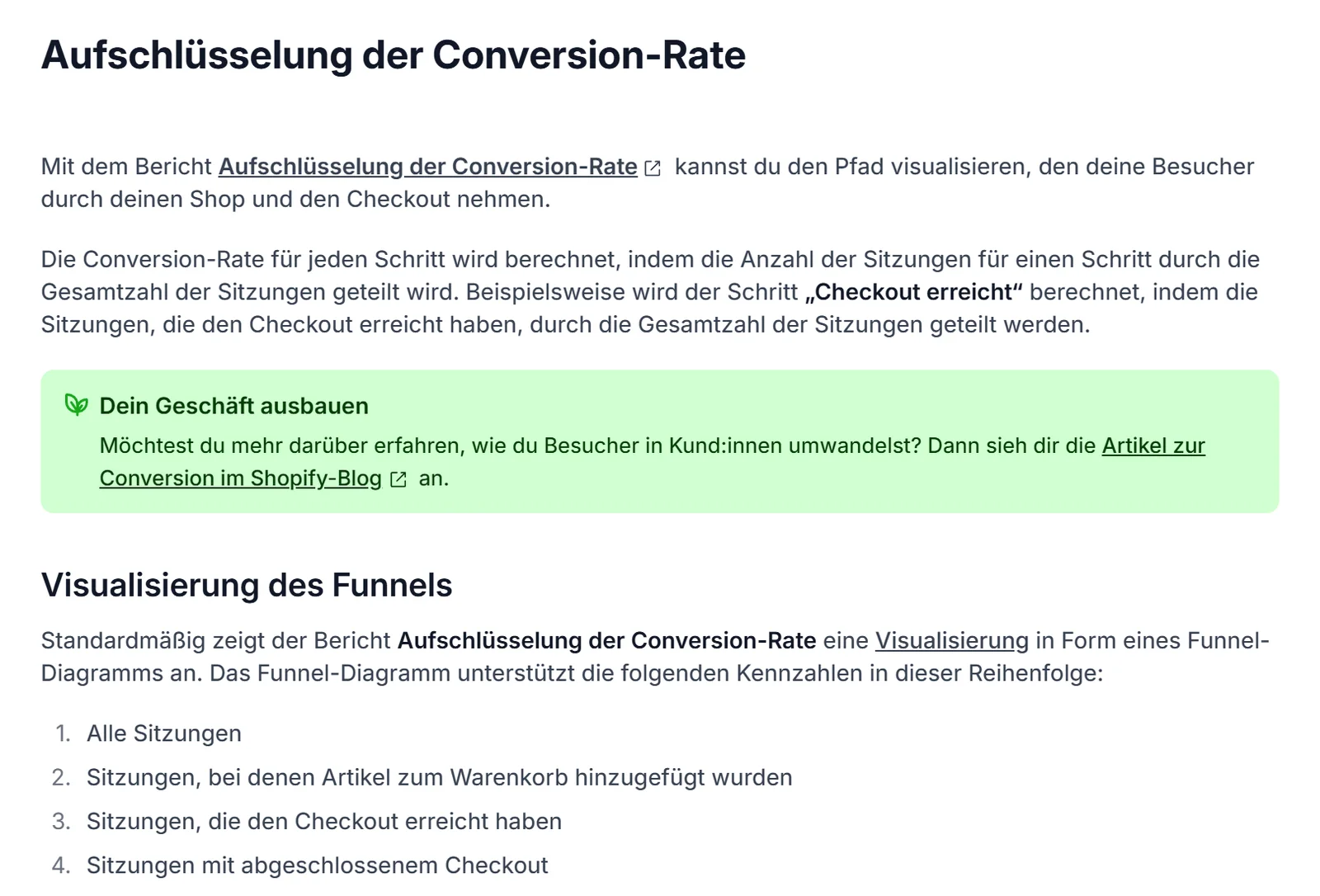
From these, you calculate two rates. Cart abandonment is one minus completed sessions divided by sessions with a cart. Checkout abandonment is one minus completed sessions divided by sessions that reached checkout. Enter your numbers directly:
Three things distort the picture. According to Shopify, “reached checkout” only counts sessions in which someone types or clicks in the checkout. Shopify changed its session tracking from September 21 to 23, 2026, so comparisons across those days are shaky. And a weak channel drags the average down without anything being broken in the store.
So look at mobile and desktop, plus your most important channels, separately before you change anything. Which conversion rate is realistic for your store is covered in What is a good Shopify conversion rate? If Shopify, GA4 and Meta show different numbers, read Shopify, GA4 and Meta show different numbers.
Why do customers abandon their purchase?
Most often because they didn't want to buy yet. In a Baymard Institute survey of 1,083 online shoppers in the US, 42% said they were just browsing. Among the other reasons, extra costs such as shipping clearly lead with 40%, followed by long delivery times with 20% and lack of trust when paying with 19%.
Two caveats apply. The survey ran in the US, and shoppers in other markets, such as Germany, have different payment habits. And multiple answers were allowed. The order of the reasons works as a starting point for your search, not as a diagnosis of your store.
“How can I tell why a customer has items in the cart and even reached checkout, but didn't buy?”Store owner, Shopify Community, September 2023
Part of the answer is already in Shopify. Every abandoned checkout has a timeline with all payment attempts. It shows reasons like “card was declined”, “3-D Secure authentication failed” or a discount code that no longer applies. If the same reasons keep piling up, you have a technical cause rather than a psychological one.
Two more sources deliver the rest: recordings of real sessions, for example with Microsoft Clarity, and a single question to buyers after purchase about what almost stopped them. Numbers, behavior and the customer's voice together show the why.
What reduces cart abandonment?
A checklist derived from the documented reasons. Each item targets a reason from the survey, and each one can be checked with a test purchase in a few minutes.
The biggest lever is at the top: shipping costs that only show up at checkout. That doesn't have to mean making shipping free. Often it's enough to state the costs on the product page and in the cart, so the total at checkout surprises no one.

Shopify sets up checkout as a single page by default, so the form itself is rarely the problem. More often, what happens before it gets in the way: apps in the cart that display notices, discount fields that trigger a hunt for codes, or a theme that loads slowly on mobile. How we find these spots systematically is described on our conversion optimization for Shopify page.
How do you win back abandoned carts by email?
With an automated reminder that contains a link to the saved cart. In Shopify, that's the “Abandoned checkout” template in Shopify Messaging, under Apps, Messaging, Automations. In Klaviyo, it's two separate flows: one from “Started Checkout”, one from “Added to Cart”.
 Abandoned checkoutafter 10 minutes without payment, visible under Orders, deleted after 3 monthsMessaging"Abandoned checkout" templateTrigger: abandoned checkoutDefault: subscribers only
 "Started Checkout" and "Added to Cart" flowsFilter: no purchase since flow startFirst email after 2 to 4 hrs, per KlaviyoBack in checkoutPurchase completed, status "recovered"
| Shopify Messaging | Klaviyo | |
|---|---|---|
| Trigger | abandoned checkout (email entered) | "Started Checkout" and, with "Track behavioral events", "Added to Cart" |
| Wait time | adjustable; a second automation waits 10 hours by default, adjustable with Shopify Flow | template 4 hours; Klaviyo recommends 2 to 4 hours, second email after 20 to 48 hours |
| Recipients | by default only email marketing subscribers | based on your flow filters and lists |
| Exit | no email if a purchase was made before | filter "Placed Order zero times since starting this flow" |
| Reporting | report in the Growth area and under Automations | flow report in Klaviyo |
Only one thing matters: the reminder belongs in exactly one system. If it runs in Shopify and in Klaviyo, your customer gets two emails. How to set up the connection, the sender domain and the other flows is covered in Connect Klaviyo and Shopify. If you don't want to build it yourself, our Shopify email marketing page shows how we do it.
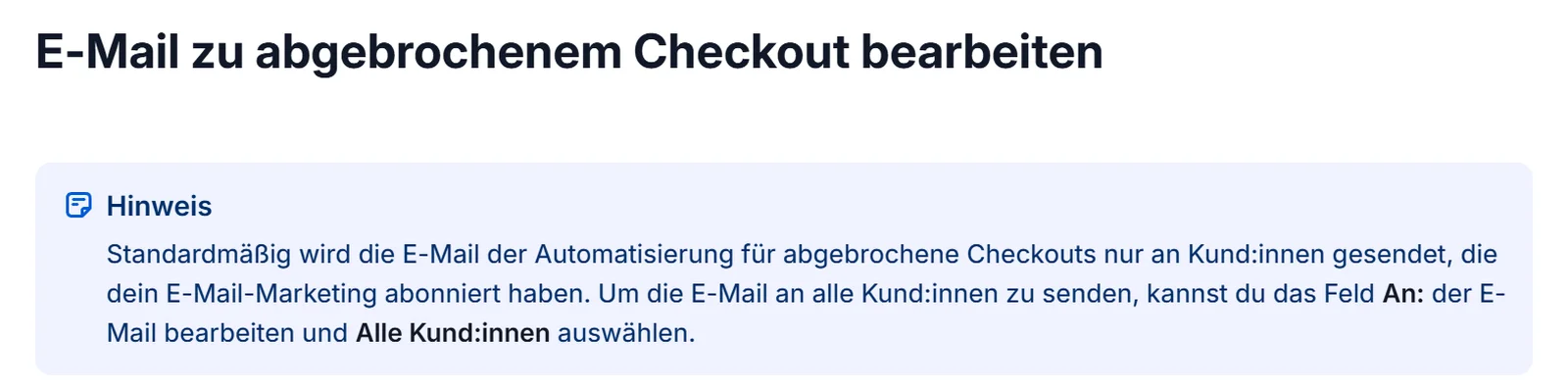
The legal side in Germany, not legal advice: advertising by email without prior express consent counts as an unacceptable nuisance (§ 7(2) no. 2 UWG). Without consent, it's only allowed if all four conditions of § 7(3) UWG are met, including an address from a previous purchase and a notice of the right to object. That's why Shopify sends the reminder only to subscribers by default.
Our rule
We treat the cart email like advertising: it goes to addresses with consent. If you want to widen the group of recipients, clarify that with a specialized lawyer first.
Why should you test instead of guess?
Because every measure against abandonment shifts something else too. A free shipping threshold can reduce abandonment and change the cart value at the same time. A discount in the email wins back buyers who might have bought anyway. Whether a change pays off only shows in a comparison against a control group.
Not everything needs a test. What's broken gets fixed. You test where two reasonable answers are possible. How a clean test is set up and when your traffic is enough for it is covered in A/B testing for online stores.
Fix it right away, without a test, if …
- the timeline shows repeated declined payments or invalid discount codes
- a test purchase on mobile gets stuck or a payment method is missing
- shipping costs only show up at checkout
- returns and delivery time aren't mentioned anywhere before checkout
Test before you switch, if …
- you want to introduce or move a free shipping threshold
- you want to add a discount to the reminder email
- you want to add notices, badges or upsells in the cart
- you're changing the wait time or number of reminders
Who this doesn't apply to: with a few dozen orders a month, an A/B test won't deliver a reliable answer. Then you fix what the test purchase shows and compare month against month.
If you're not sure at which step your store loses buyers, get in touch and send us the link. If the problem sits even earlier, with visitors who never add anything to the cart, Lots of traffic, no sales will help you further.
Frequently asked questions
Someone adds a product to the cart and doesn't buy. Checkout abandonment is narrower: the person started checkout and didn't pay. Shopify lists it as an abandoned checkout as soon as an email address has been entered and no payment follows within ten minutes.
The average of 50 studies collected by the Baymard Institute is 70.22%. The studies measure differently and span almost twenty years. So compare your store mainly with its own previous months.
You find the rates under Analytics, Reports, "Conversion rate breakdown". Individual abandoned checkouts with an email address are under Orders, "Abandoned checkouts". There, the timeline also shows whether a payment failed.
According to a Baymard survey of 1,083 online shoppers in the US, 42% were just browsing. Among the solvable reasons, extra costs that are too high, such as shipping, lead with 40%, followed by long delivery times with 20% and lack of trust when paying with 19%.
That depends on the law in your market. In Germany, advertising by email requires prior express consent under § 7(2) no. 2 UWG, with exceptions set out in § 7(3) UWG. By default, Shopify only sends the reminder to customers who subscribed to email marketing. This is an overview, not legal advice.
For an abandoned checkout reminder, Shopify Messaging is enough. Klaviyo pays off if you also want to reach cart abandoners before checkout and separate flows by customer group. What matters is that only one system sends the reminder.
Shopify suggests it as an option. We start without a discount and test it as a separate variant, because a fixed discount also reaches buyers who would have bought anyway. The deciding metric should be revenue per recipient, not click rate.