Connect Klaviyo and Shopify: Setup, First Flows and GDPR
Connect Klaviyo with Shopify: setup in four steps, which data syncs, double opt-in and sender domain, the first four flows and costs in 2026.

Jason Spizert
Updated on October 21, 2026
Published 9 min read

The short answer
You connect Klaviyo to your Shopify store in Klaviyo under "Integrations": enter your store URL, confirm the permissions, then turn on the Klaviyo app embed in your theme. From then on, orders, checkouts, customer profiles and consent arrive automatically, first the last 90 days, then the full history. Before the first marketing email goes out, you need provable consent (in Germany, double opt-in is the safest route) and a branded sending domain with SPF, DKIM and DMARC. Only then do the four flows pay off: welcome, abandoned cart, post-purchase and winback.
How do you connect Klaviyo with Shopify?
The connection itself takes about fifteen minutes. According to Klaviyo Help, you start in Klaviyo, not in the Shopify admin. It also works through the Shopify App Store, where installation is free.
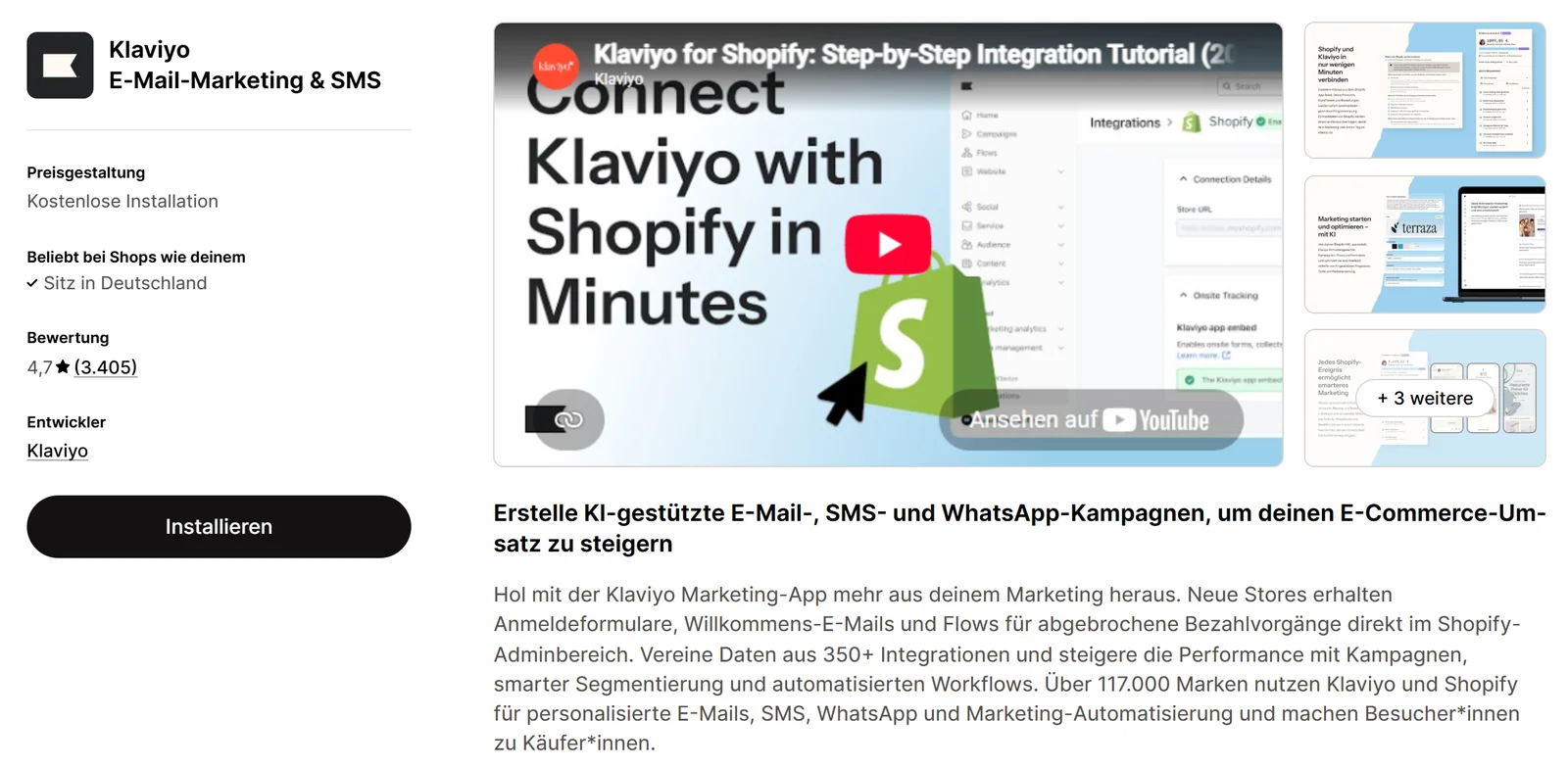
Many people forget the last step. Then orders come in fine, but Klaviyo doesn't know who viewed which product.
Which data flows from Shopify to Klaviyo?
Shopify sends every event to Klaviyo, usually within seconds. Klaviyo uses them to build a profile for each customer. These events later become the triggers for your flows.
 reports events in real time
 Profile, segment, triggerplus "Viewed Product" and "Active on Site" via the app embed in your theme
 New order in the storearrives back in Klaviyo as "Placed Order". The loop closes.
| What happens | Event in Klaviyo | Arrives when … |
|---|---|---|
| Purchase, shipment, cancellation, refund | Placed Order, Ordered Product, Fulfilled Order, Cancelled Order, Refunded Order | the connection is live |
| Checkout started | Checkout Started | the connection is live |
| Cart, search, collection | Added to Cart, Submitted Search, Viewed Collection | "Track behavioral events" is checked |
| Product viewed, active on site | Viewed Product, Active on Site | the Klaviyo app embed is active in the theme |
| Customer data | Profile with name, address, phone, consent and Shopify tags | the connection is live |
| Package in transit, delivered | Confirmed Shipment, Delivered Shipment | Shopify provides the data, only with certain carriers |
"I think they just aren't connected properly. […] Something in there is wrong, I think."Founder on the Klaviyo flows she set up herself, conversation 2026 (translated)
Two details from Klaviyo Help: tags you add to an order after the fact don't sync over. And customers you delete in Shopify stay in Klaviyo. That matters for deletion requests.
Do you need double opt-in? (Germany)
In Germany, email marketing requires prior express consent; otherwise it counts as an unreasonable nuisance under Section 7(2) No. 2 UWG. You must be able to prove that consent (Art. 7(1) GDPR). In 2011, the German Federal Court of Justice confirmed: after a confirmation by email, you may assume the sign-up really came from that address (BGH, I ZR 164/09, paras. 45 f.).
In Shopify, you turn this on under Settings, Notifications, Customer notifications ("Marketing double opt-in"). According to Shopify, people who signed up before don't have to confirm retroactively. In Klaviyo, you set per list under "Consent" whether it uses single or double opt-in. Test both with your own address: once through the form, once through the checkbox at checkout. If no confirmation email arrives, the address lands on the list without double opt-in.
Then there's the contract with Klaviyo itself. Klaviyo processes customer data on your behalf. According to Klaviyo, the Data Processing Agreement is part of the contract, and for transfers to the US, Klaviyo cites its certification under the Data Privacy Framework. That's why Klaviyo belongs in your privacy policy.
Why do you need a branded sending domain?
Without your own domain, Klaviyo sends through a shared Klaviyo domain. The inbox then shows "via klaviyomail.com" after your name. To the customer, that looks unfamiliar, and the big inbox providers now check closely whether an email really comes from your domain.
Gmail and Yahoo rules since February 2024
Three numbers that decide whether you reach the inbox.
0.3%
Spam rate you have to stay below. Google recommends below 0.1%.
5,000
Emails per day to Gmail: from here, SPF, DKIM and DMARC are mandatory
2 days
until Yahoo wants an unsubscribe to be processed
Sources: Google Help "Email sender guidelines", Yahoo Sender Hub, accessed October 21, 2026.
Set up the domain before the first campaign goes out. Klaviyo needs up to three CNAME or four NS records and one TXT record at your domain provider. Allow up to 48 hours for the records to take effect.
Which flows do you build first?
Flows are emails triggered by an event, not by your calendar. They run every day, even when nobody is thinking about newsletters. Start with four that build on the events from Shopify.

Key takeaway
A flow without an exit condition sends the discount code to people who just bought.
"So far I don't feel it has done much, and nobody seems to use the discount code we offer."Founder, email to us, 2026 (translated)
Klaviyo is rarely behind sentences like that. Usually data is missing because the app embed is off, or the flows have no exit. Also check under Apps, Messaging, Automations whether Shopify's own abandoned checkout email is still running. Otherwise customers get two reminders. Why the second purchase in particular decides the math is covered in Customer lifetime value: what a customer is really worth. How we build repeat purchases overall is on our page about customer retention.
How much does Klaviyo cost in 2026?
Klaviyo bills by active profiles, meaning contacts who can receive marketing emails. It's free up to 250 profiles and 500 emails per month. According to the pricing page, as of October 21, 2026, in US dollars:
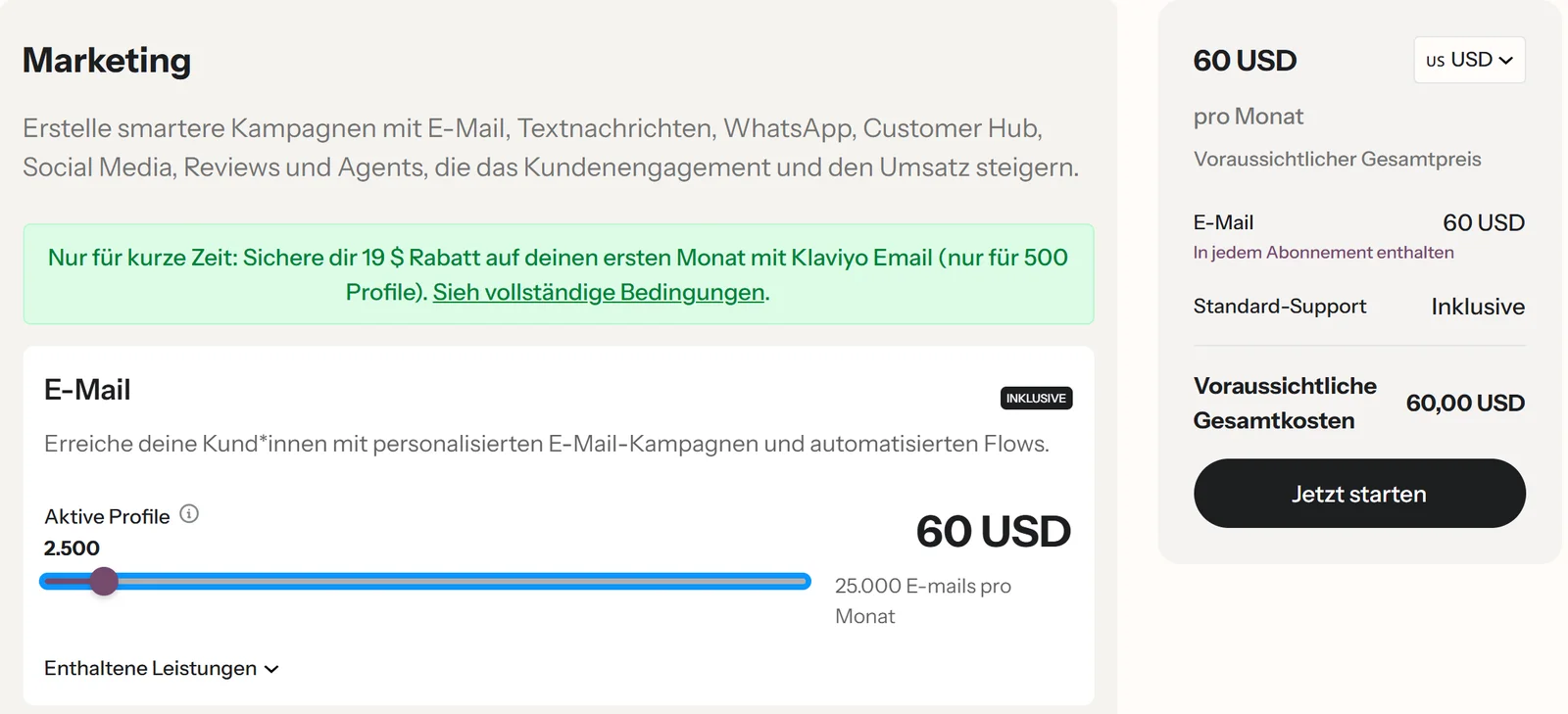
Whether it pays off isn't something you can read from the Klaviyo report alone. Klaviyo attributes a purchase to an email if someone opened or clicked it and then bought, by default within 5 days for new accounts. Some of those customers would have ordered anyway.
"I kind of ignore the revenue, because the customers who... don't just order because of the newsletter, they order either way."Store owner, conversation 2026 (translated)
A more honest view is your repeat purchase rate in Shopify before and after. Why Klaviyo, Google and Meta count the same purchase differently is explained in Shopify, GA4 and Meta show different numbers.
Is Shopify Messaging enough instead of Klaviyo?
For many small stores, yes. Shopify Messaging, formerly Shopify Email, lives right in the admin, the first 10,000 emails per month are free, and according to Shopify, abandoned checkout emails don't count toward that. Full disclosure: NextPercent is a Klaviyo partner, and we set up Klaviyo for stores. Even so, we don't recommend it to everyone.
| Shopify Messaging | Klaviyo | |
|---|---|---|
| Free up to | 10,000 emails per month | 250 active profiles and 500 emails per month |
| After that | from 1 US dollar per 1,000 emails | from 20 US dollars per month for 500 profiles |
| Billed by | emails sent | active profiles |
| Abandoned checkout emails | free, don't count | regular flow emails |
| Data | from Shopify | from Shopify and other integrations, over 350 according to Klaviyo |
| Channels per App Store | Email, SMS, WhatsApp | Email, SMS, WhatsApp, push |
Klaviyo is worth it if …
- you need segments, e.g. by product, time between purchases or order value
- flows should branch, for example first-time buyers differently from regulars
- data from review, subscription or loyalty apps should feed into your emails
- you have regular repeat purchases that can carry a dedicated flow
Shopify Messaging is enough if …
- you're just starting and have a few hundred contacts
- welcome and abandoned cart emails are enough
- nobody on the team has time to maintain and analyze flows
You can switch later. Contacts move over with their consent; flows you rebuild.
If you don't want to set up Klaviyo yourself: our page on Shopify email marketing explains how we set up the connection, consent, domain and first flows. Which other apps a store really needs is covered in Shopify apps: which ones a store really needs. And if the emails work but buyers are lost in the store itself, our conversion optimization page shows how we find out where.
Frequently asked questions
Installing it is free, and Klaviyo itself is free up to 250 active profiles and 500 emails per month. After that, according to Klaviyo's pricing page, the email plan starts at 20 US dollars per month for 500 profiles (as of October 21, 2026).
Klaviyo first pulls the last 90 days, then the full history. According to Klaviyo, that takes anywhere from a few minutes to several days depending on the number of orders and customers. After that, new data flows in real time.
It isn't written into the law word for word. But in Germany, email marketing requires prior express consent (Section 7(2) No. 2 UWG, the German Act Against Unfair Competition), and you have to be able to prove it (Art. 7(1) GDPR). Double opt-in is the usual way to provide that proof. This is an assessment, not legal advice.
In Germany, only under the four conditions of Section 7(3) UWG: the address comes from a purchase, the marketing is for your own similar products, the customer hasn't objected, and there's a clear notice of the right to object when the address is collected and in every email. If in doubt, have your setup reviewed by a lawyer.
Often there's no branded sending domain with SPF, DKIM and DMARC, or the spam rate is too high. Since February 2024, Gmail and Yahoo require authentication and a spam rate below 0.3%, and bulk senders additionally need DMARC and one-click unsubscribe.
Yes, but each automation belongs in exactly one system. If the abandoned checkout email runs in both Shopify and Klaviyo, your customer gets two reminders.
No. According to Klaviyo Help, profiles deleted in Shopify remain in Klaviyo. So you also have to handle a GDPR deletion request in Klaviyo.