Product Photos for Your Online Store: Which Images Sell and How to Create Them
Creating product images: which image set sells, image rules from Shopify and Google Shopping, shooting yourself, studio or AI, and alt text.

Jason Spizert
Updated on October 21, 2026
Published 9 min read
The short answer
Product photos sell when every image answers a question the customer would settle with their hands in a store: what do I get, what's the material like, how big is it, how do I use it. For that, you need an image set per product: cutout, views, detail, in use, size comparison and ideally a short video. In Shopify, square images at 2048 × 2048 px with a consistent aspect ratio work well. You can often shoot cutouts yourself with a smartphone and window light; in-use shots and tricky products belong in the studio, and AI is good for scenery, never for the product itself.
Which product photos sell in an online store?
The ones that answer a buying question. In a store, customers pick up the product, turn it, check the seam, hold it up against themselves. Online, the images have to do that job. A single beautiful photo answers only one of those questions.
The order matters. According to Shopify, the first media item is the featured media: it appears on collection pages, in the cart, at checkout and on the homepage. Views and details come next, in-use shots and video toward the end. Variants get their own images; otherwise, after clicking “sage green”, the customer still sees the gray bike.
Remember
A product image isn't decoration. It replaces touching the product.
And honestly: better images alone don't save a product page. One founder publicly listed what her team had already done about fluctuating conversion and, in her own words, felt no strong effect:
“Nicer and more meaningful images on the product pages / redesigned bundles with strikethrough prices / optimized the order of elements on product pages […]”Founder of a snack brand, LinkedIn, July 2025 (translated from German)
Images only work if offer, price and copy pull their weight too. Where your store really loses buyers is shown in Shopify traffic but no sales: what's behind it.
What technical requirements apply to product images in Shopify?
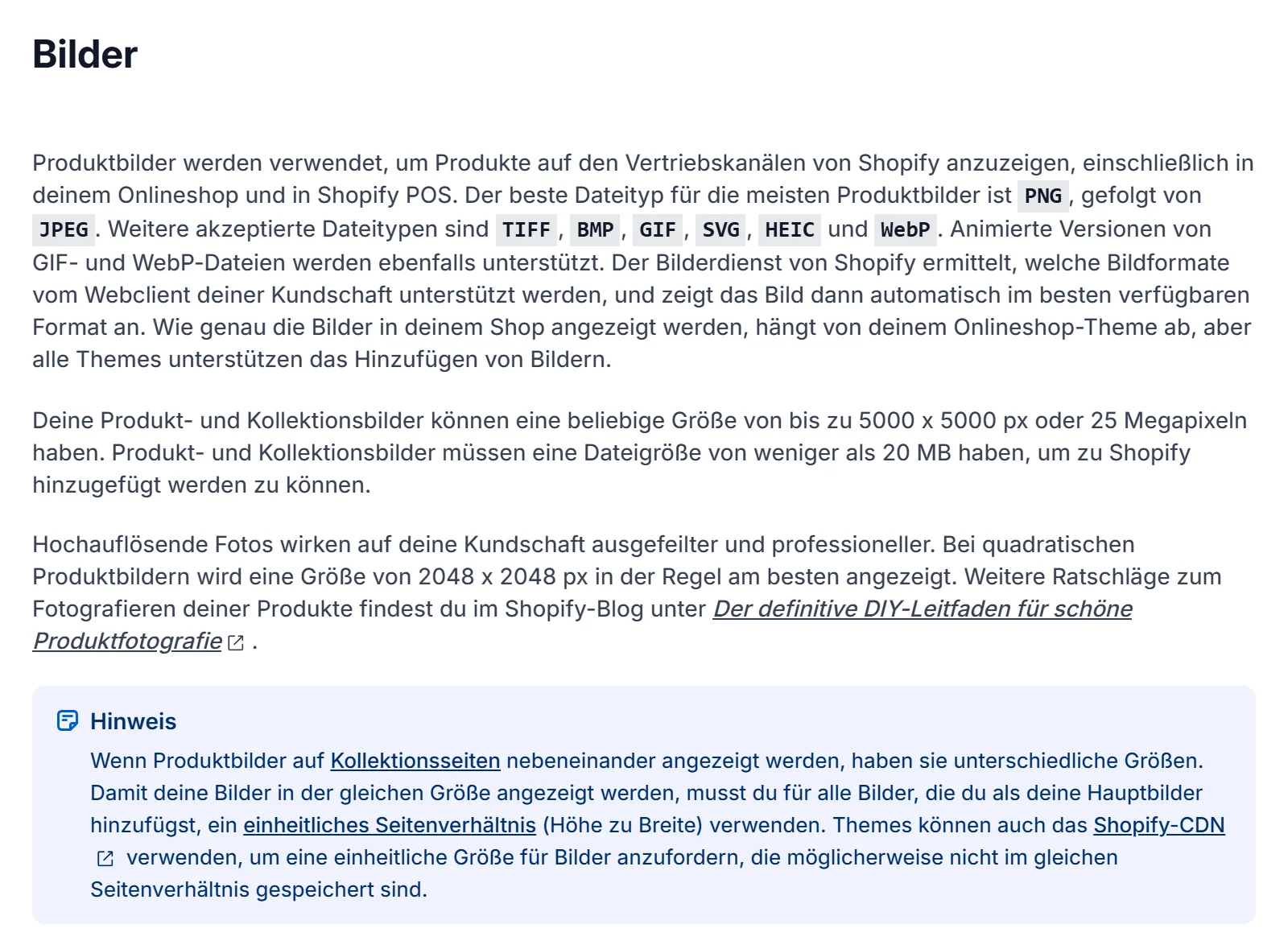
Shopify accepts almost anything, but doesn't display everything equally well. The numbers from the Shopify Help Center, next to Google's rules, because the same images later end up in Merchant Center:
| Shopify, product images | Google Merchant Center, main image | |
|---|---|---|
| Formats | PNG recommended, then JPEG; also WebP, HEIC, GIF, TIFF, BMP, SVG | JPEG and WebP recommended; also PNG, GIF, BMP, TIFF |
| Size | up to 5000 × 5000 px or 25 megapixels | from 01/31/2027 at least 500 × 500 px, 1,500 × 1,500 px recommended, max. 64 megapixels |
| File | under 20 MB | 16 MB max. |
| Recommendation | square 2048 × 2048 px, all main images in the same aspect ratio | product fills 75 to 90% of the image, one image per variant |
| Count | up to 250 media per product | 1 main image plus up to 10 additional images |
| Video | up to 10 minutes, 1 GB, 4K; mp4, mov, webm | not via these attributes |
The most common mistake isn't resolution, it's mixed formats. Portrait next to landscape next to square, and the collection page turns into a staircase. If you notice that late, you have a problem:
“But I'm definitely not going to rework 3,500 images now…”Merchant, Shopify Community, November 2022 (translated from German)
So set the format before the first photo, matching your theme. How themes crop images and when a custom design is worth it is covered in Shopify theme vs. custom design.
What image rules apply to Google Shopping?
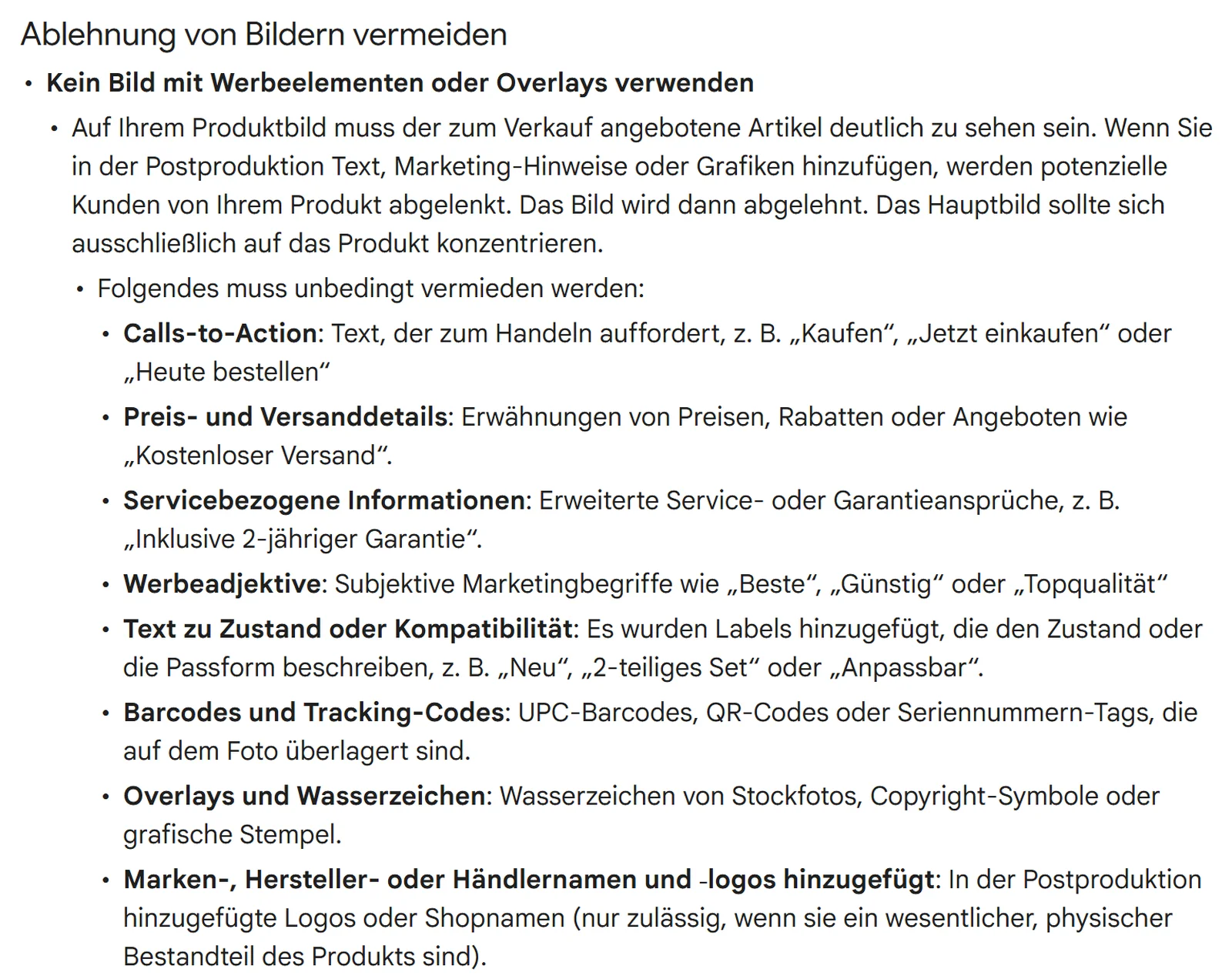
Stricter ones than in your store. According to the Merchant Center Help, the main image may only show the product: no calls to action, no price or shipping notes, no watermarks, no logos added afterwards, no border. Otherwise the image is rejected and the product isn't shown.
This affects you even if you've never built a feed for Google yourself. The Shopify channel “Google & YouTube” syncs your products with Merchant Center, and the “Facebook and Instagram by Meta” channel with a catalog at Meta. Whatever is your main image in the store becomes the face of your ad.
 Product, Media sectionMain imagefirst media item, also at checkoutMore imagesdetails, in useVideoup to 10 min., 1 GBAlt textper image, ~125 characters

 Merchant CenterMain image without text or logo, product large in the frame, one image per variant. Up to 10 additional images.02“Facebook & Instagram” channel

 Meta catalogThe channel syncs your products with a catalog on Facebook and Instagram, for Facebook Shop and Instagram Shopping.
Additional images are more relaxed: there, according to Google, the product may be staged, in use or only partly visible. How we set up feeds and Shopping campaigns is on our Google Ads agency page, and for catalog ads on Facebook and Instagram on our Meta Ads agency page.
How do you photograph products yourself?
With a fixed setup at the window. The Shopify Help Center describes exactly that: daylight from the side, ceiling light and flash off, white cardboard as a sweep, a reflector on the shadow side. You don't need an expensive camera; a smartphone is enough.
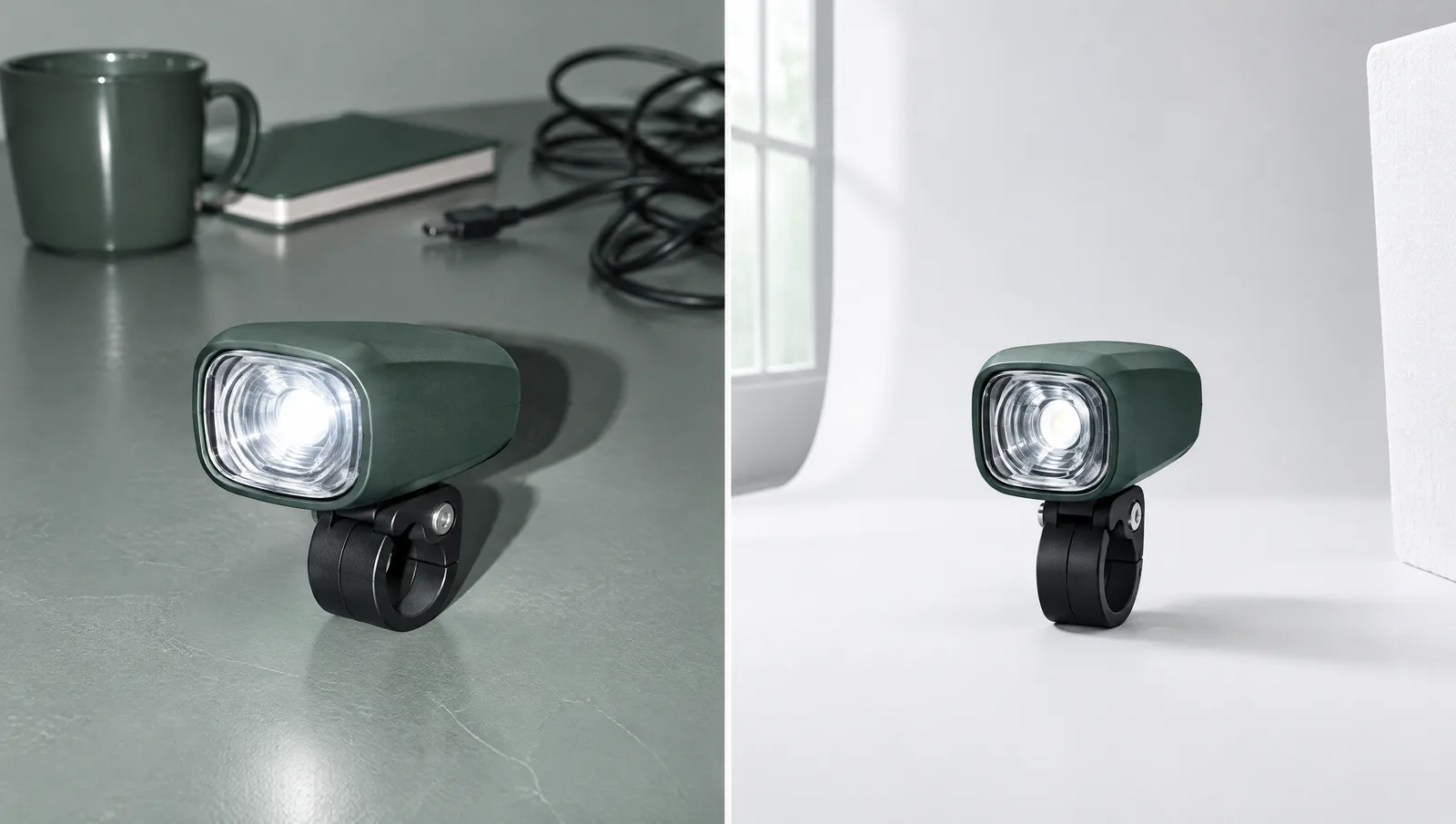
The most important trick is discipline: camera and tripod stay in place for the whole shoot, and for other views you turn the product. That way a hundred images look like they belong together, and cropping goes fast.
Who this isn't enough for: if you sell large goods like an e-bike, have reflective or transparent products or dozens of variants, you'll quickly hit limits at the kitchen table. Then the studio is worth it.
Yourself, studio or AI: what fits when?
The decision is made per image type, not once for the whole store. One approach that often works: the studio sets the look and the main images, and the team shoots new products in the same setup.
| Yourself | Studio | AI | |
|---|---|---|---|
| Strong at | Cutouts, details, new additions | In use, video, large or reflective products, a consistent look | Backgrounds, scenery, cutting out |
| Weak at | People in the image, locations, high volume at once | Quick single images for new products | Product accuracy: logos, seams, proportions, colors |
| Control | full, but your time | via briefing and image list | only by comparing against the real photo |
| Important up front | fixed setup, one format | image list per product, usage rights for store and ads | check disclosure, don't delete metadata for Google |
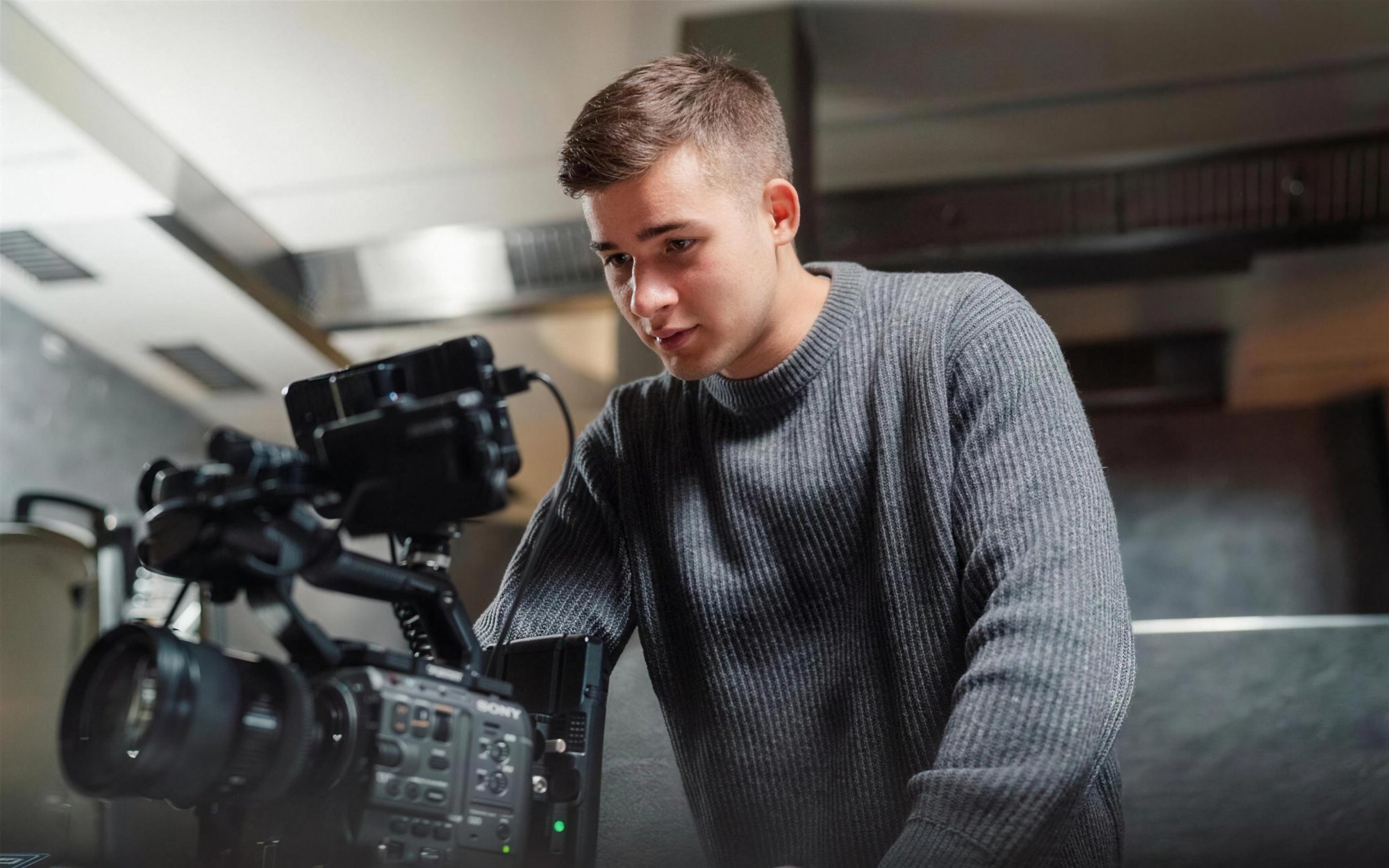
We deliberately don't quote studio prices here, because they depend heavily on the image list, location and usage rights. Quotes become comparable when you give every provider the same list: which products, which image types, which variants, for what. If your visual world is part of a new brand identity, we plan it in, details on our branding agency page. For images and videos of real people with your product, read UGC content for online stores.
What can AI do for product images, and what not?
AI can create the surroundings, not the product. Shopify offers Shopify Magic in the media editor to remove or replace backgrounds, and Google offers something similar with Product Studio. With the product itself, AI tools like to invent details: a different seam, a warped logo, a wrong color. Anything that looks different in the image than in the package costs trust and possibly a return.
AI fits if …
- you cut out a real photo or swap the background
- a real product photo sits in front of generated scenery
- you compare every result with the original
Don't use it if …
- the AI generates or alters the product itself
- it's meant to create color variants you never photographed
- a photorealistic AI person wears your product without a disclosure
Under Art. 50(4) of the EU AI Act, realistic AI content that could be mistaken for real has had to be disclosed since August 2, 2026. This is information, not legal advice; if in doubt, ask a lawyer specializing in IT law.
For Google, there's an additional technical requirement: according to the Merchant Center Help, images created with generative AI must carry metadata that makes this recognizable, such as the IPTC field “DigitalSourceType”. So don't export such images in a way that loses this data.
How do you write alt text for product images?
Short and descriptive, for exactly this image. Alt text is shown when the image doesn't load, screen readers read it aloud, and Google uses it to understand the image. Shopify recommends 125 characters or fewer; 512 are allowed.
The same goes for file names: “kanto-city-sage-green-side.jpg” says more than “IMG_4711.jpg”. How images, titles and copy work together for Google is covered in Shopify SEO: what your store needs for Google and AI search. And if you want to see where your product pages leave questions open, book the free call below.
Frequently asked questions
As many as customers have questions. A good start is five to six: cutout, two views, a detail, an in-use shot and, for size questions, a size comparison. Shopify allows up to 250 media items per product.
According to the Shopify Help Center, square product images at 2048 × 2048 px usually display best. Up to 5000 × 5000 px or 25 megapixels and less than 20 MB per file are allowed.
Shopify names PNG as the best file type for most product images, followed by JPEG, and automatically serves the image to the browser in the right format. For the Merchant Center feed, Google recommends JPEG and WebP.
Yes. The Shopify Help Center explicitly says a smartphone is enough. More important are side window light, a white background without an edge and a setup that stays the same for all products.
That depends on the number of products, variants and image types. Cutouts are faster than in-use shots on location. Get quotes based on the same image list and ask about usage rights for your store, marketplaces and ads.
Main images with text, price or shipping notes, watermarks, logos added afterwards, borders or placeholders. According to Google, the product should take up 75 to 90% of the image, and from January 31, 2027, images must be at least 500 × 500 px.
For backgrounds and scenery, yes; the product itself has to be accurate. Realistic AI content that could be mistaken for real has needed a disclosure under Art. 50 of the EU AI Act since August 2, 2026, and Google requires the appropriate metadata for AI images. This is information, not legal advice.