Shopify SEO: What Your Store Needs for Google and AI Search
Shopify SEO in 2026: what Shopify handles for you, fixed URLs, titles, copy, structured data, Merchant Center and how Google's AI Overviews cite stores.

Jason Spizert
Updated on October 21, 2026
Published 9 min read
The short answer
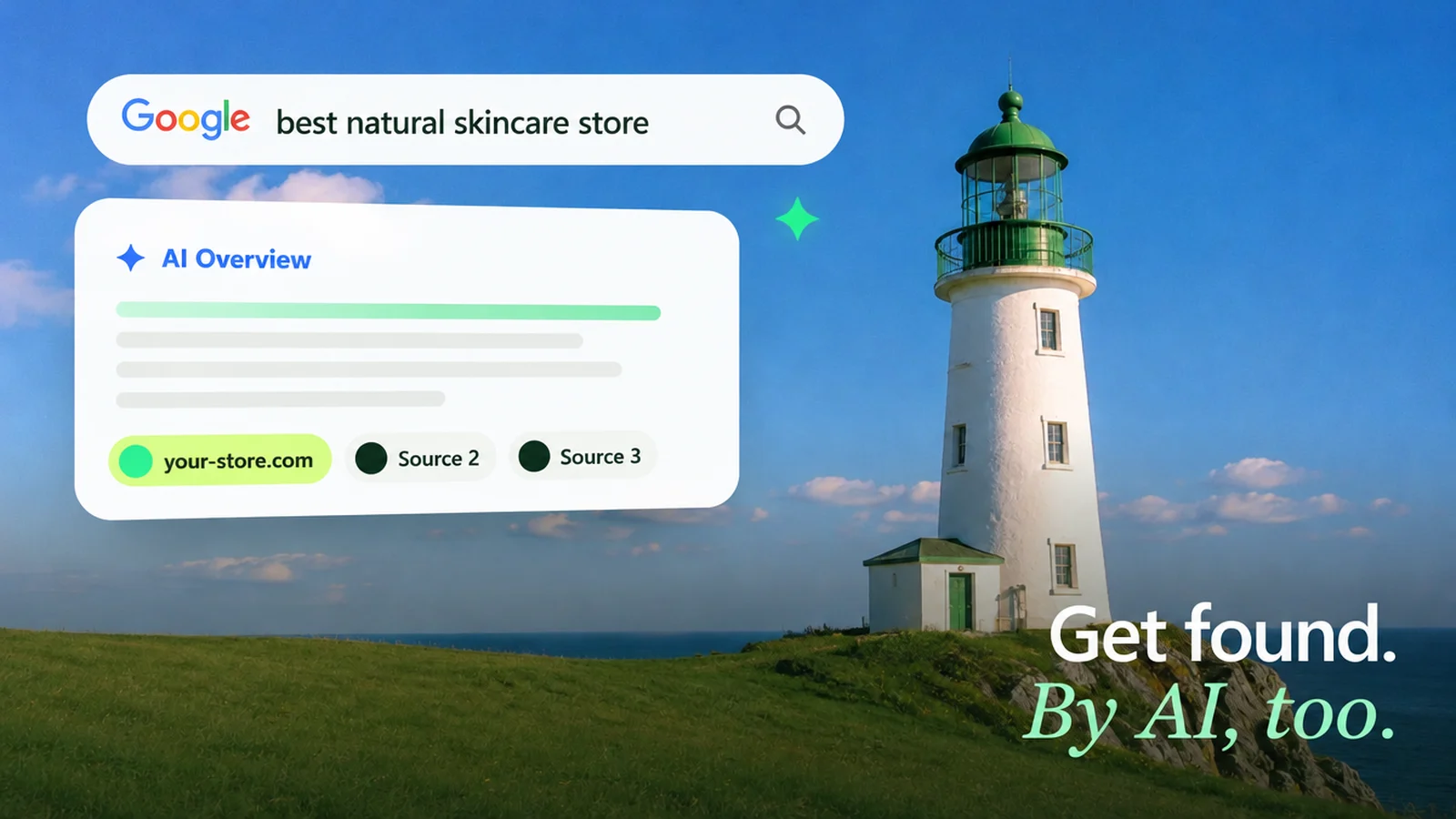
Shopify handles most of the technical SEO itself: sitemap.xml, canonical tags against duplicate content, a robots.txt and product markup in the theme. What decides rankings is up to you: one clear search term per page, your own collection and product copy, titles, meta descriptions, alt text, internal links and clean product data in Merchant Center. According to Google, AI Overviews and Google's AI Mode have no additional requirements, no llms.txt and no special markup. If Google finds you well, you also have the foundation for AI answers.
What does Shopify already handle for SEO?
The technical work that used to require plugins and developers. According to the Shopify Help Center, every store automatically gets a sitemap.xml and a robots.txt, canonical tags against duplicate content and product markup in the theme. What Shopify doesn't know: what your customers type into the search bar and what convinces them on the page.
That leads to a common misunderstanding. If you fill in a few fields and still don't get found, you start looking for the problem in the tech.
“I optimized the SEO as well as I could and nothing changed at all. Is something wrong with my store? What am I doing wrong? My store can't be found on Google Search either.”Store owner, Shopify Community, September 2024 (translated from German)
You can rule out two causes in five minutes. Google does not index trial stores or password-protected stores, as the Shopify Help Center states. And without a verified domain in Search Console, you have no idea what Google has actually seen. The diagram shows how the data flows.
 Products · Collections · Pages · Blog
 Submit your sitemap, check indexing, find errors in structured data. Clicks from AI Overviews and AI Mode are counted in the performance report.
 Merchant CenterFree product listings, which according to Google can appear in Search, the Shopping tab, Images, Lens, YouTube, Maps and Gemini.
 PerplexityAI Overviews and AI Mode draw on the Google index and Merchant Center data. ChatGPT search and Perplexity read public pages with their own crawlers.
Fixed URL paths and duplicate product URLs: do they hurt?
No, as long as your theme links cleanly. Shopify fixes the /products/ and /collections/ paths; you only control the part after them, the handle. Nested addresses like /men/shirts/linen-shirt are not supported. For Google that is no disadvantage: structure comes from collections and internal links, not from folders in the address.
Duplicate addresses are trickier. Many themes open a product from a collection under /collections/
Google calls the canonical tag a strong signal, but also recommends linking internally to the canonical address directly. So check where the product cards in your collections point. If you change a handle or switch platforms, you need a redirect for every old address. How that works during a move is covered in How to migrate your store without losing rankings.
Titles, meta descriptions and copy: what do you write yourself?
Everything Google should read and match to a search. Shopify recommends a maximum of 60 characters for the page title and 160 for the meta description. If you leave the fields empty, the theme builds the title from the page title and store name. Better than nothing, but rarely what people search for.
More important than the meta description is the copy on the page. By Google's own account, the snippet is usually built from the page content. That's why every page type gets its own job:
| Page type | serves searches like | needs on the page |
|---|---|---|
| Homepage | brand name, brand plus category | a clear statement of what you sell, links to the main collections |
| Collection | men's linen shirts, city e-bike | its own intro text, filters, descriptive product cards |
| Product | product name, model, feature | your own copy with dimensions, material, use; reviews; GTIN |
| Blog post | pre-purchase questions: how, which, what to do if | answer first, links to matching collections |
For images, alt text is what counts. Google calls it the most important attribute for understanding an image and warns against keyword stuffing. Describe what is shown, for example “Linen shirt in natural white, collar from the front”. Add short, descriptive file names instead of IMG_4711.jpg. Making copy and images fit your brand belongs in the store build, not at the end.
Which structured data matters in 2026?
Product data and reviews; FAQ no longer. The Product markup from the theme covers the required fields for merchant listings: name, image, price and currency. What's usually missing are GTINs and reviews, because stars in the markup only come with a reviews app.
According to Google, the best approach is to provide product data twice: as markup on the page and as a feed in Merchant Center. On Shopify, the Google & YouTube app handles the feed and syncs products and store info automatically. According to the Merchant Center Help, free product listings appear in Search, the Shopping tab, Google Images and Lens, on YouTube, Maps and in Gemini. Which apps you really need for this and which are just dead weight is covered in Shopify apps: which ones your store really needs.
Load time, internal links, blog and languages: what really helps?
Anything that makes it easier for Google to find you and for visitors to stay. For load time, Google measures three values, the Core Web Vitals:
Core Web Vitals, good values according to Google
Three metrics for speed, responsiveness and a stable layout.
2.5 s
LCP: largest element visible
200 ms
INP: response to a click or tap
0.1
CLS: layout shift while loading
Source: Google Search Central, Core Web Vitals, retrieved October 21, 2026. According to Google, good values match what its ranking systems aim to reward.
On Shopify, the main things slowing you down are apps, large images and theme code, as the Shopify Help Center also says. Uninstall what you don't use, and then check whether code leftovers remain in the theme. Whether a custom design is faster than a purchased theme with lots of add-ons is something we discuss in Shopify theme vs. custom design.
How do AI search engines cite a store?
Through the same pages Google uses for regular search. Google states that a page must be indexed and eligible to show a snippet to appear in AI Overviews and AI Mode. There are no additional technical requirements.
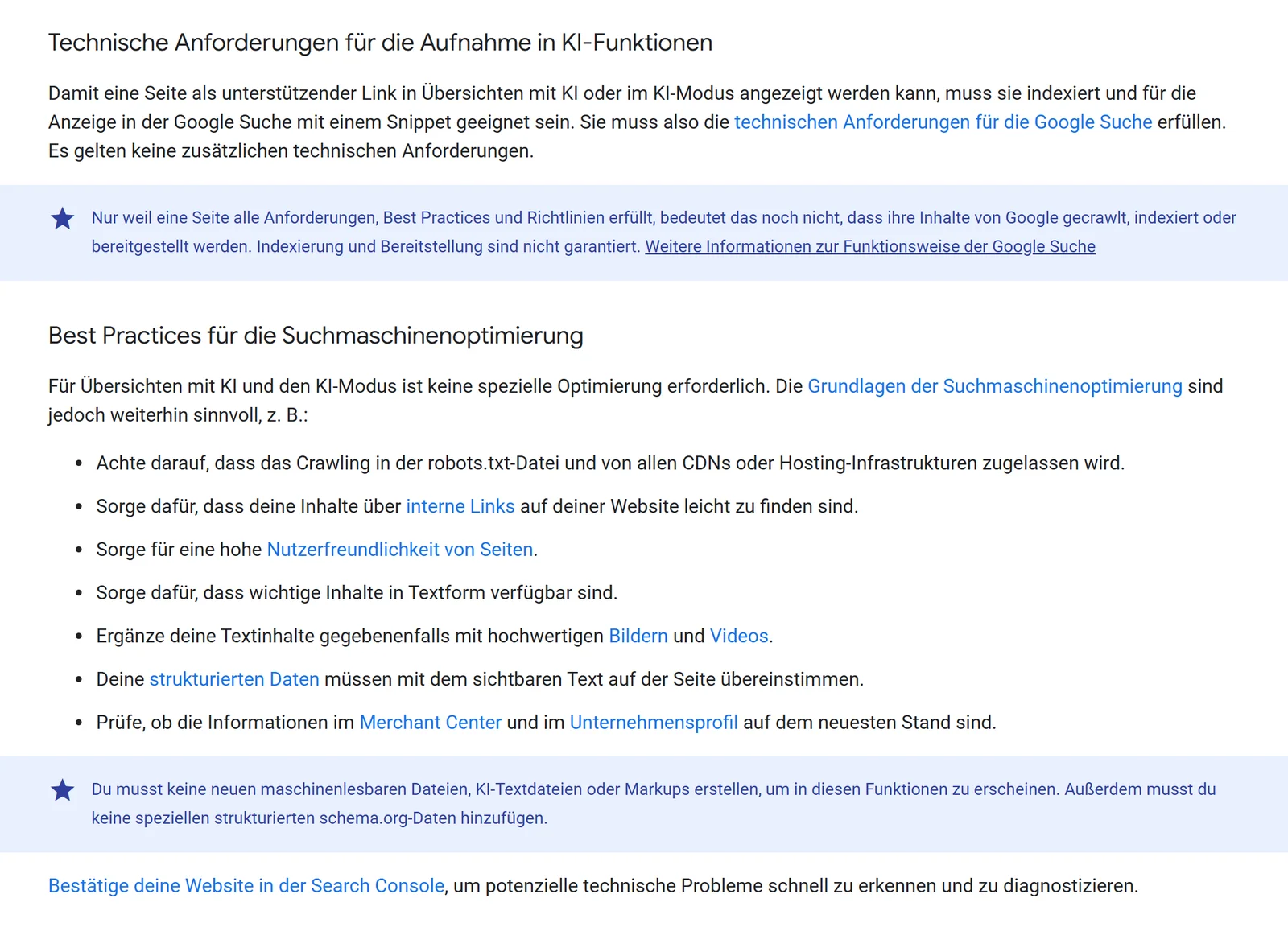
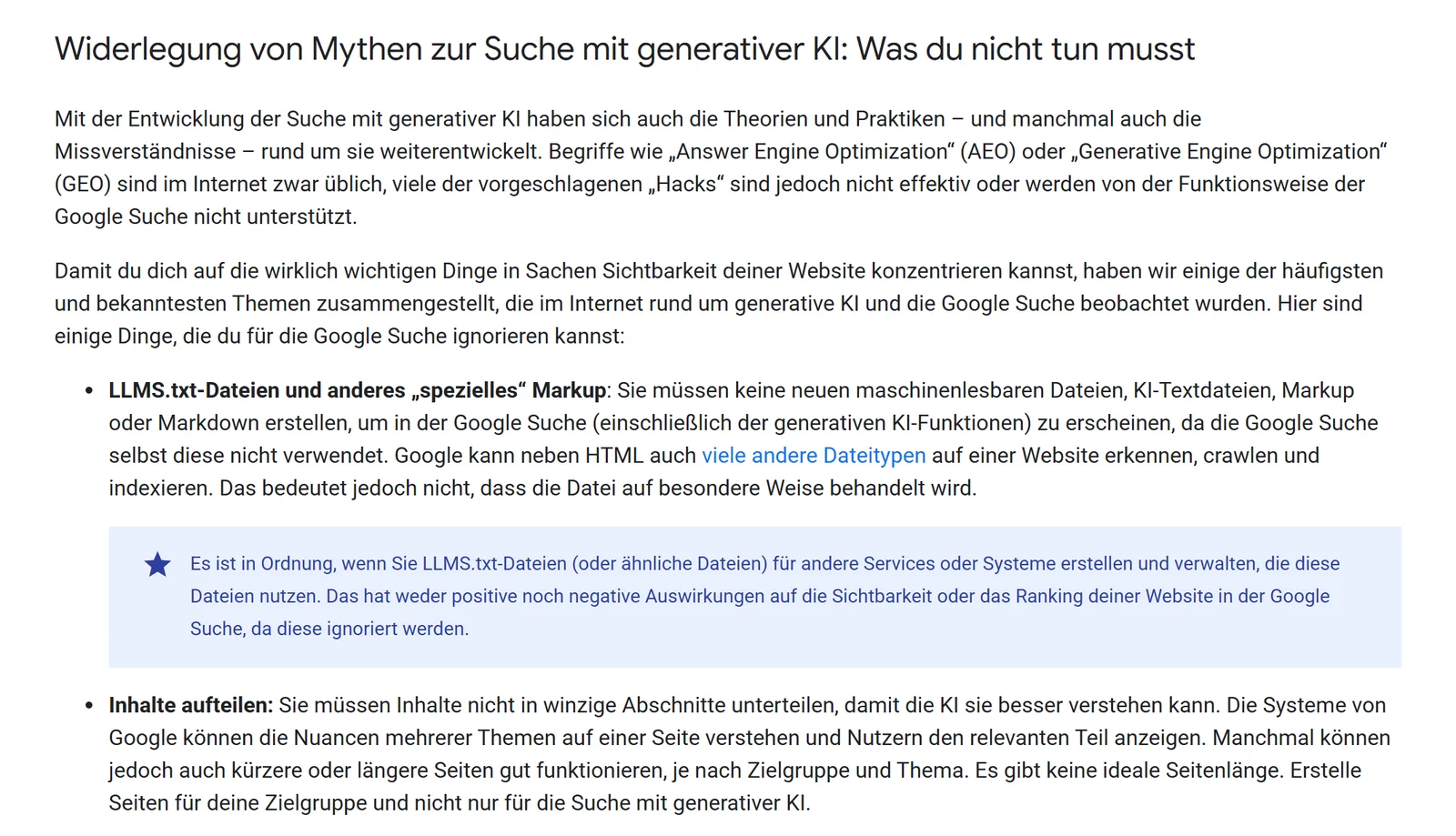
In May 2026, Google followed up with a dedicated guide to optimizing for generative AI features. The core message: from Google Search's point of view, AEO and GEO are SEO. According to Google, you can ignore llms.txt files, chopping content into pieces and paid mentions.
What this means for stores
Whatever Google indexes cleanly and whatever is correct in Merchant Center can show up in AI answers. There is no extra format for AI.
Paraphrased from Google Search Central, retrieved October 21, 2026
According to Google, the biggest impact comes from content with its own perspective, such as a first-hand review instead of a summary. For stores, that means product copy based on real experience, genuine reviews and honest comparisons. ChatGPT and Perplexity use their own crawlers: if you block OAI-SearchBot, you won't appear in ChatGPT search answers, according to OpenAI. So check your robots.txt to make sure you aren't locking out places where you want to be found. For AI shopping agents, Shopify offers the free Knowledge Base app: there you can see and edit the answers agents use about your store.
Who is Shopify SEO worth it for, and where do you start?
For stores whose products people search for. If you serve a category people ask Google about, SEO builds a channel that doesn't stop with every ad dollar you spend. If you sell a completely new product nobody knows yet, you'll find little demand there.
SEO is worth it if …
- there is noticeable search volume for your category
- you can fill collections and products with your own copy
- you have a few months for rankings to grow
- product data like GTINs and reviews are in place
Do something else first if …
- nobody searches for your product because it's new
- visitors come but don't buy
- the store is still password protected or in its trial period
- you need revenue in the next few weeks
If visitors come but don't buy, more traffic won't help. Fix the store first, then ads or SEO.
If visitors are already coming but not buying, the problem is somewhere else: Shopify traffic but no sales shows you where to look. If you need demand faster, a Google Ads campaign is the more direct route, ideally with the same Merchant Center feed.
“I'm on my own and do everything myself, from SEO to site management to design and so on.”Store owner, Shopify Community, May 2024 (translated from German)
If that sounds like you, work through the checklist in this order. Tech first, because it takes minutes. Then the copy for your most important collections, that's where the biggest lever is.

If a redesign or platform switch is coming up, plan SEO in from the start, for a Shopify migration just as much as for a redesign. And if you want to see where your current store is stuck on Google, the free call below is the quickest way in.
Frequently asked questions
Yes, on the technical side. Shopify generates the sitemap, canonical tags, robots.txt and product markup itself. The limits are in the URL structure: the /products/ and /collections/ paths are fixed, and there are no nested categories.
Not for the basics. You manage title, meta description, handle and alt text in the admin. An app is worth it if it adds something your theme doesn't provide, such as additional structured data, and if it doesn't slow your theme down.
Verify your domain in Google Search Console, on Shopify most easily with an HTML tag in theme.liquid. Then enter sitemap.xml under Indexing, Sitemaps. Your store must not be password protected.
Because themes can also open products through a collection, for example /collections/summer/products/shirt. Shopify sets a canonical tag on these pages pointing to /products/shirt. It is still better if your theme links directly to /products/… internally.
Not for Google. Google states that Google Search ignores llms.txt files, though they do no harm either. AI Overviews and AI Mode follow the same fundamentals as regular search.
Not for Google results anymore. Google has stopped showing FAQ rich results since May 7, 2026. Questions and answers on the page still help your readers. For AI shopping agents, you manage the answers about your store in Shopify's free Knowledge Base app.
According to the Shopify Help Center, Google usually indexes new pages within 48 to 72 hours. Ranking high for a competitive term takes longer. Neither Shopify nor Google gives a fixed timeframe.