Best Shopify Themes 2026: Top Picks by Store Type, and When a Theme Is Not Enough
Which Shopify theme fits your store? Free and premium themes by store type, the criteria that really matter, and how to switch without losing data.

Jason Spizert
Updated on October 21, 2026
Published 9 min read
The short answer
The Shopify Theme Store lists 350 themes in 1,345 style variants. 24 of them are free from Shopify, and the rest cost 100 to 500 US dollars, one-time (as of October 21, 2026). There is no best theme for everyone: almost all of them have a mega menu, color swatches and filters. A theme only needs to stand out on the features your store type requires, such as catalog size, a quick order list or age verification. For most new stores, a free Horizon theme or Dawn is enough.
Which Shopify themes are there in 2026?
350 different themes, counted on October 21, 2026 in the official Theme Store. The store itself says 1,345, because it lists every style variant of a theme as a separate entry.
Shopify Theme Store, October 21, 2026
Lots of choice, few real differences
350
different themes
1,345
entries including all style variants
24
free, all from Shopify
10
of them from the Horizon family
$100 to $500
for a premium theme, one-time
1 store
per purchased license
Counted on themes.shopify.com, all 57 result pages. Prices in US dollars per the Theme Store.
The free themes all come from Shopify. Dawn has been the reference theme since 2021. Horizon is a family of ten themes from May 2025, built with theme blocks that can be reused and nested inside each other. The paid themes come from third-party developers.
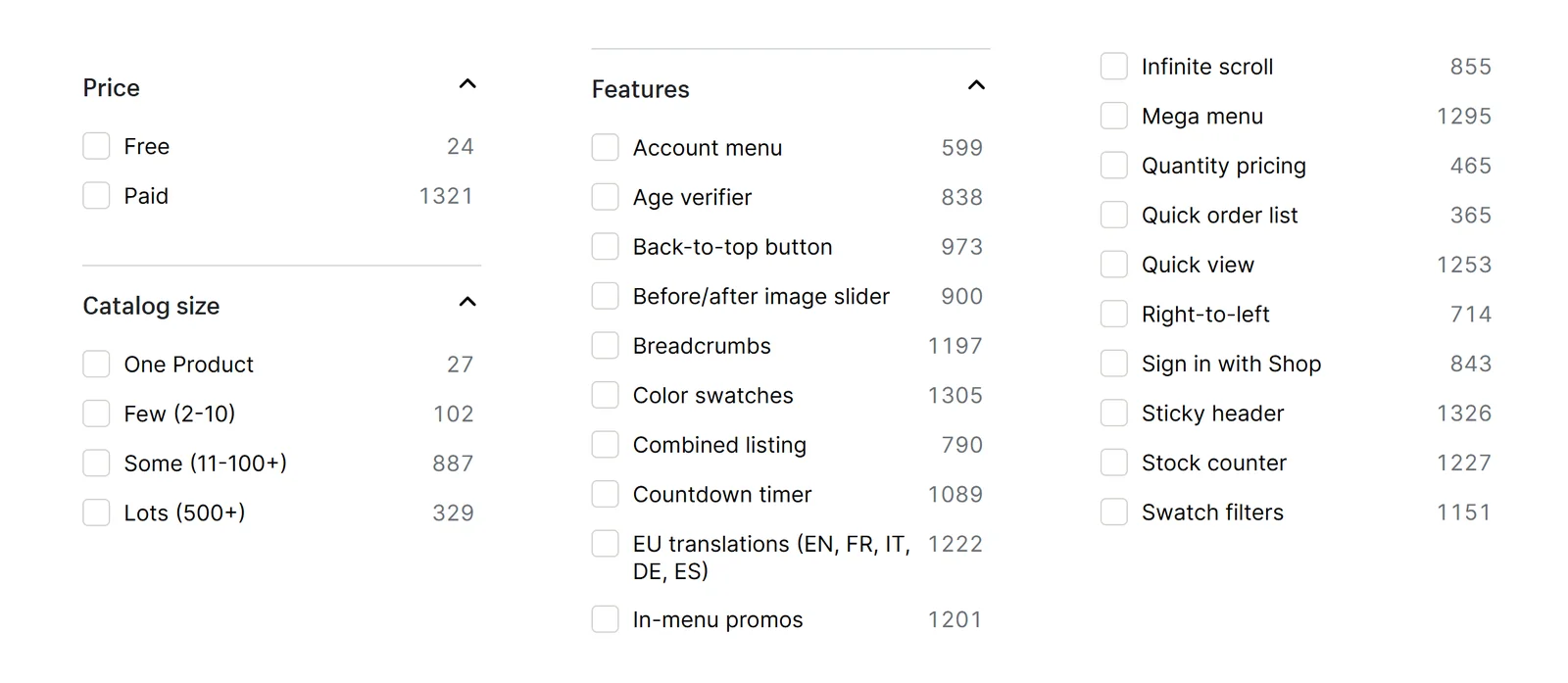
In the Theme Store, you filter by price, industry, catalog size and features. The numbers next to the filters are the fastest way to see what is rare.
Which criteria should you use to choose a theme?
The features that only a few themes have and that your store needs. Mega menu, color swatches and filters are no longer a reason to choose. Shopify requires filters, swatches and nested menus from every theme in the store anyway.
You do not check the remaining criteria in the filter, but on the theme page and in the preview:
| Criterion | What you check | Where |
|---|---|---|
| Load time | Shopify requires a Lighthouse score of at least 60 for the store. It is measured with test data, not with your images. | Preview with your own products, on mobile |
| Sections and blocks | Can you arrange the building blocks of your product page without code? Up to 25 sections per template are possible, each with up to 50 blocks. | Theme editor in the preview |
| Translations | Does the theme include English and your other languages? If one is missing, you translate the theme copy yourself. | Theme page, filter "EU translations", edit theme content |
| Support | Free themes: Shopify support, from Basic up to 60 minutes of design help. Premium: the developer, without custom changes. | "Support" tab of the theme page |
| Updates | When was the last version released? Updates from the Theme Store are free, and your editor settings carry over. | Theme page, version section |
| Reviews | Share of positive reviews and number. Read the latest ones: does the criticism concern something you need? | "Reviews" tab |
Multiple languages and countries do not depend on the theme alone. What Shopify offers for that is covered in Shopify Markets.
Which theme fits which store type?
Three questions decide it: who buys, how many products you have and what the purchase hinges on. The tree leads you to the filter to search in and to the features to check in the preview.
The matrix shows examples from each filter. Premium themes were picked by an open rule: per filter, the two with the most reviews, with at least 300 reviews and 90% positive. This is not a ranking, it is a starting point. Shopify's free themes are listed alongside for comparison.
Notice the low share of positive reviews for the free themes? Dawn comes in at 36% from 290 reviews. The number measures satisfaction, not revenue. A theme with many critical reviews can still be the right one for your store if the criticism concerns a feature you do not need.
And no theme sells on its own. Just ask the merchant who started with the free Dawn theme and ran ads on four channels:
“I use Dawn as my store theme. It has been enough for me so far. Unfortunately, I have not made any sales to date.”Store owner, Shopify Community, January 2026 (translated from German)
Where visitors drop off is what Lots of traffic, no sales helps you find. For wholesale, take a look at Shopify B2B before choosing a theme, because price lists and company accounts depend on your plan, not your theme.
How do you test a theme before you pay?
In the preview, with your own products. You can add paid themes to your drafts for free, up to 19 at once. Your customizations are kept when you buy.
Test with your hardest product, not your prettiest. A theme's demo images are professionally shot; your images decide how it looks for you. One merchant writes about Dawn:
“This theme is way fast I Score 99 on page speed, downside its basic so I have to code the sections from scratch.”Review of Dawn in the Shopify Theme Store, August 2026
Fast and simple, or feature-rich and heavier: that is the real trade-off. Which features you are better off solving with apps is covered in Shopify apps: what a store really needs.

How do you switch themes without losing data?
By setting up the new theme as a draft and publishing it only when everything is in place. Your products and content are not lost in the process, because they do not live in the theme.
“will everything transfer when doing so or do I have to manually add everything back in?”Merchant, Shopify Community, January 2023
The answer depends on the layer. A store is built from four layers, and only the bottom one does not belong to the theme:



 ExamplesWhen switching: reactivate
Before you change anything in your current theme, make a copy. The Shopify Help Center says the same:
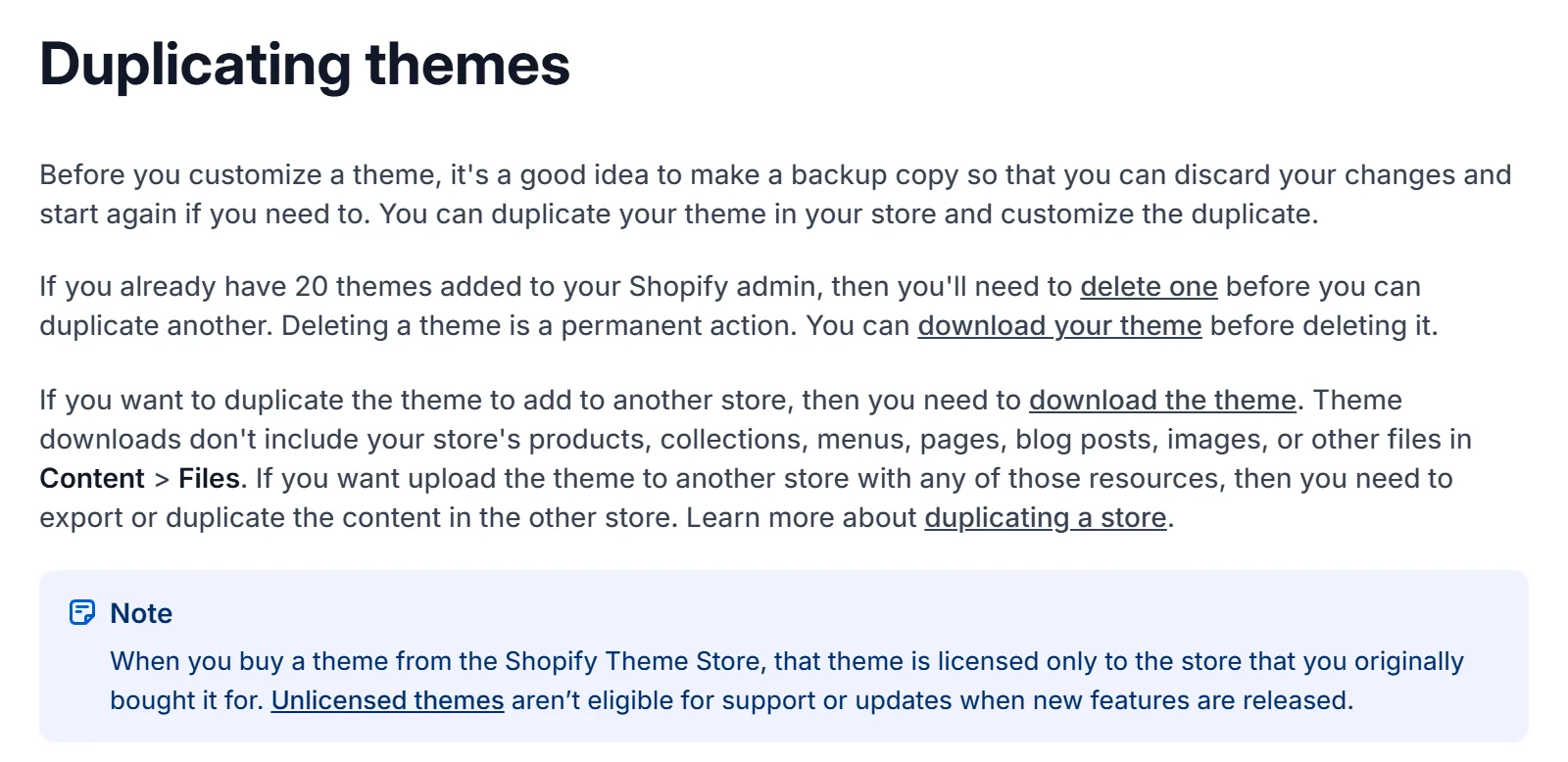
When you publish, the old theme moves to your drafts. That is your way back if something is missing after the switch. Afterwards, check every app feature customers see: reviews, newsletter form, cookie banner. If you are moving to a different store platform at the same time, more applies, as covered in Store migration without losing rankings.
When is a theme no longer enough?
When your buying decision no longer fits a template. That happens less often than many think, and it rarely has to do with looks.
A theme from the store is enough if …
- your product range fits one of the filters
- the product page answers your customers' questions with sections and blocks
- you have your own images and copy to fill the framework
- you want to keep using updates from the Theme Store
It is no longer enough if …
- every solution needs another app or custom code
- your buying journey has steps no theme knows, such as configuration or bundles
- your brand is established, but your store looks like the theme demo
- you need building blocks you cannot find in any theme filter
What a customized theme or a custom design costs and delivers is calculated in Shopify theme or custom design? How a rebuild of an existing store works is shown in Shopify redesign, and a build from scratch is described in Shopify store development.
Choosing a theme
The best theme is the one that is not missing anything your store needs. Your images, your product page and your content do the rest.
For Koluré and Suvene, we redesigned existing stores; for Whisky Agents, the store was built from scratch. Whether your product page sells better after a switch is something you measure with your conversion rate, not by impression. To find out where you stand, take a look at our conversion optimization.
Frequently asked questions
There is no single best theme for every store. Almost every theme in the store has basic features like a mega menu, color swatches and filters. What matters are the features your store type needs: catalog size, a quick order list and volume pricing for B2B, age verification for alcohol.
For most new stores, yes. Shopify's 24 free themes meet the same mandatory requirements as the paid ones and receive updates. A premium theme pays off when you are missing a specific feature.
In the Shopify Theme Store, 100 to 500 US dollars, one-time (as of October 21, 2026). The license covers one store and does not expire, and updates from the Theme Store are free.
Dawn has been Shopify's reference theme for Online Store 2.0 since 2021. Horizon is a family of ten free themes from May 2025, built with theme blocks that can be reused across sections and nested inside each other.
No. Products, collections, menus, pages, blog posts and images live in the Shopify admin, not in the theme. What you have to set up again are theme settings, sections, app blocks and custom code.
No. According to Shopify, purchases of themes from third-party developers in the Theme Store are final, and the developer does not issue refunds. So test in the preview first. It is free.
Up to 20 on Basic, Grow and Advanced, up to 100 on Shopify Plus. On the Starter plan, only the Spotlight theme is available.